

New Features
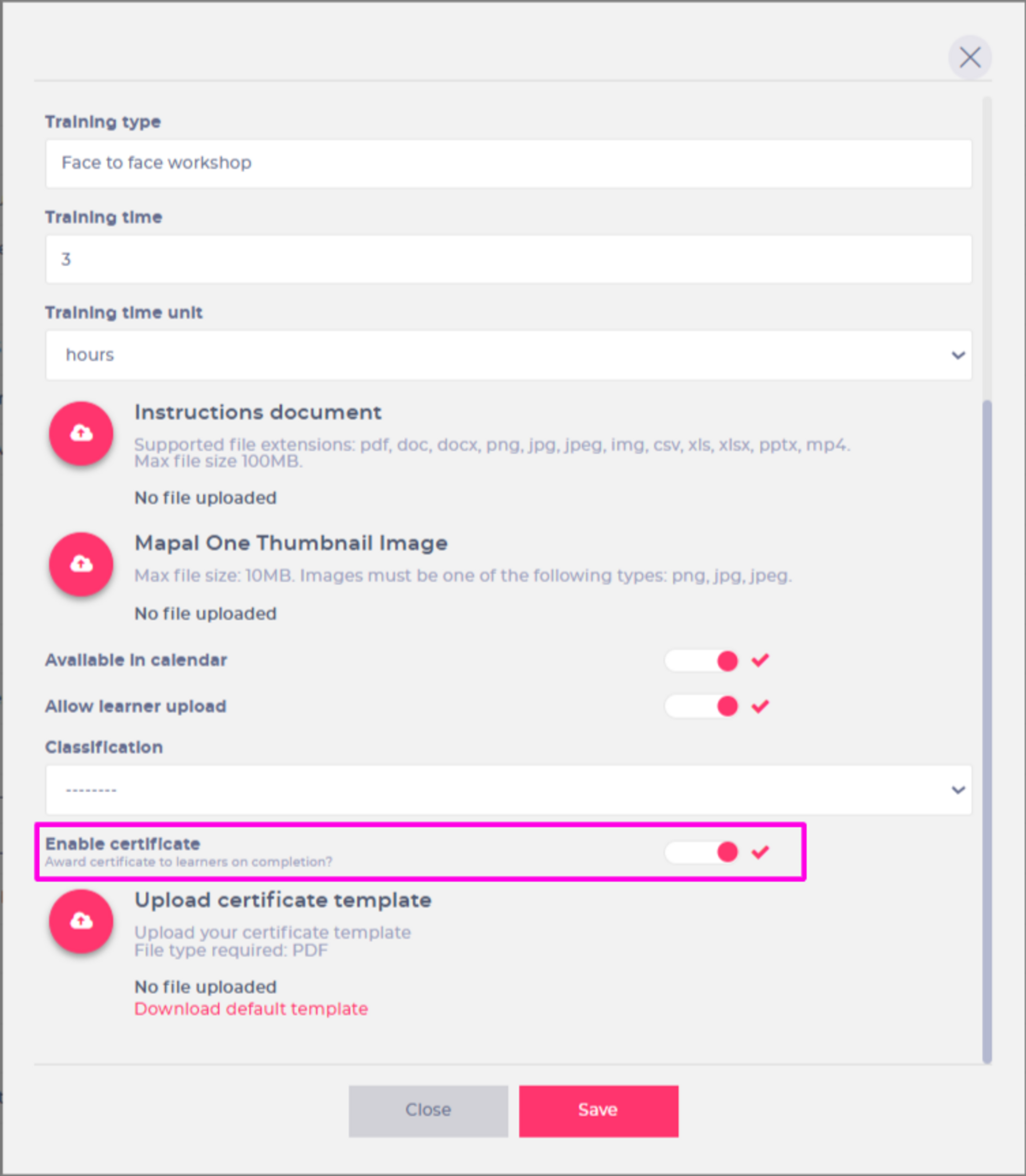
External Training Certificates
We’ve introduced the ability to enable certificates for External Training items, so they’re automatically generated on completion.
Why this Matters
This gives teams a simple, reliable way to recognise learning and support compliance. By using our downloadable template in External Training setup, certificates are generated as soon as training is marked complete and stored with the learner’s record in both Flow MS and Mapal One — removing the need for manual uploads and ensuring consistent evidence.
Key Benefits
- Reduced admin: Certificates generate automatically when training is marked complete, removing the need to upload files individually.
- Improved accuracy and consistency: Our template pulls learner names, training titles and dates directly from Flow MS.
- Better compliance visibility: Certificates are stored with the learner’s record in both Flow MS and Mapal One, making evidence easy to find and share.

Improvements
Improved Department & Job Title Filtering
We’ve improved filtering in Flow so that only Departments and Job Titles relevant to the filters already applied will appear.
Why this Matters
Previously, users could see long, platform-wide lists even when they’d already filtered by region, branch, or other criteria. This often meant scrolling through options that didn’t apply to the area they were working with. By only showing relevant Departments and Job Titles, filtering becomes faster, clearer, and more efficient across Flow MS.
Key Benefits
- Quicker filtering: Users only see options that apply to the area they’re working with — no more scrolling through platform-wide lists.
- More focused filtering: Only relevant options appear, keeping the experience targeted and easy to navigate.
- Smoother reporting and assignment: Users can confidently target the right groups without over-filtering.
Workbooks Disabled Behaviour in Training Structures
We’ve updated how disabled Workbooks behave in Training Structures to match the behaviour of modules. Disabled Workbooks are now automatically removed from Training Structures and can no longer be assigned once they’re no longer relevant.
Why this Matters
Previously, disabled Workbooks remained in Training Structures and could still be assigned, even when outdated or replaced. This meant users needed to manually update structures to avoid learners working on inactive content. The change ensures Training Structures only include active, relevant Workbooks, improving accuracy and reducing maintenance.
Key Benefits
- Clarity: Disabled Workbooks no longer appear in Training Structures.
- Consistency: Matches how disabled modules are handled.
- Accuracy: Only current and active Workbooks can be assigned to learners.
- Efficiency: Reduces admin effort by automatically removing inactive material.

Bug fixes
- Incorrect Knowledge Check status in Compliance reporting
- We fixed an issue that caused Knowledge Checks to display incorrect statuses in Compliance reporting. Statuses now update accurately, ensuring reliable Compliance results.
- Unable to view ratings in Appraisal preview
- We fixed an issue that prevented ratings from displaying in the Appraisal preview. Ratings now appear correctly.
- Error when generating Standalone SCORM files
- We resolved an issue that was preventing Standalone SCORM files from generating correctly. Non-core Flow modules can now be exported as expected.
- Inconsistent spacing in Appraisals and Workbooks
- We fixed an issue where removing an image or video left extra space between questions in Appraisals and Workbooks. Spacing now remains consistent even when media is removed.