Food & beverage
Inventory & menu management software for contract catering.

Features

Core capabilities

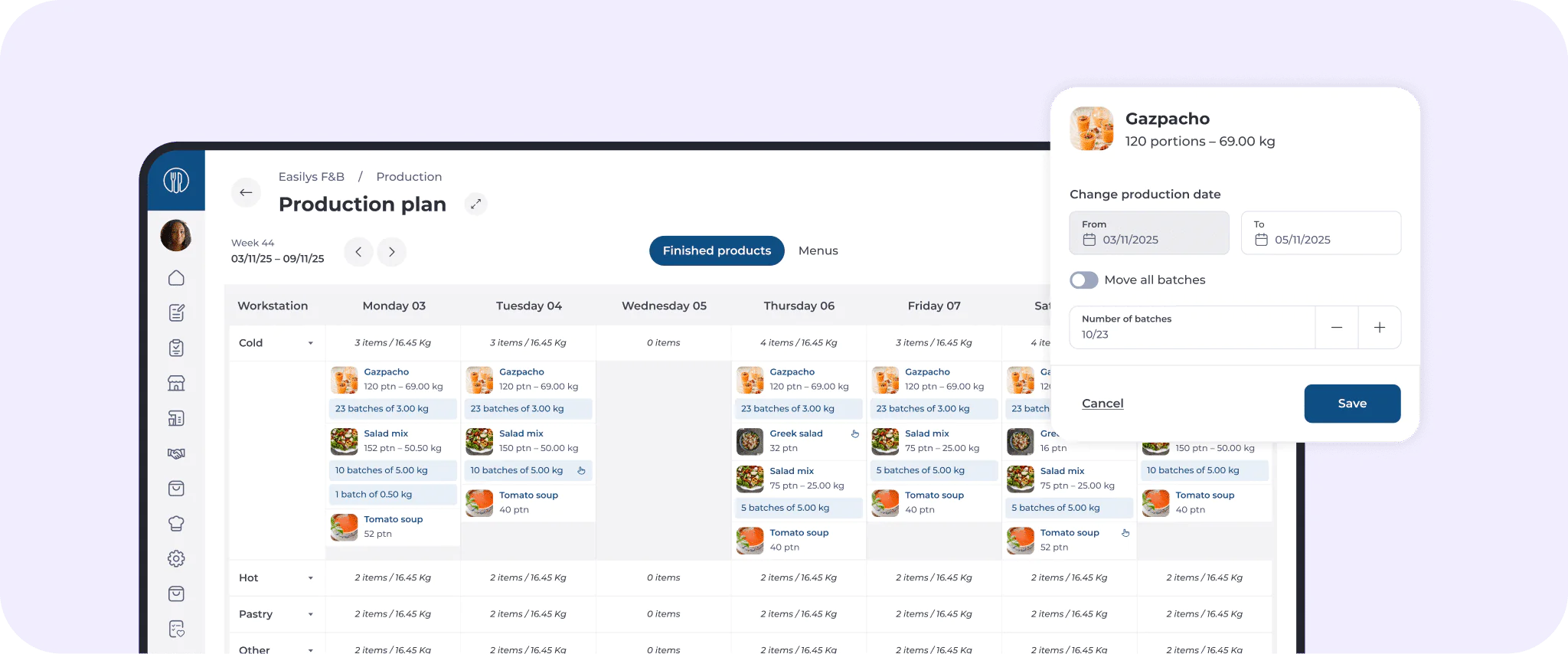
A digital production plan interface showing a weekly schedule for food preparation, with item names, images, and quantities. A pop-up window in the foreground allows editing for gazpacho, including date, batch number, and portion size.
A desktop and mobile view of an inventory management app. The desktop screen shows a stock list with products, suppliers, quantities, and prices. The mobile screen shows details for avocado stock, including current and theoretical amounts.
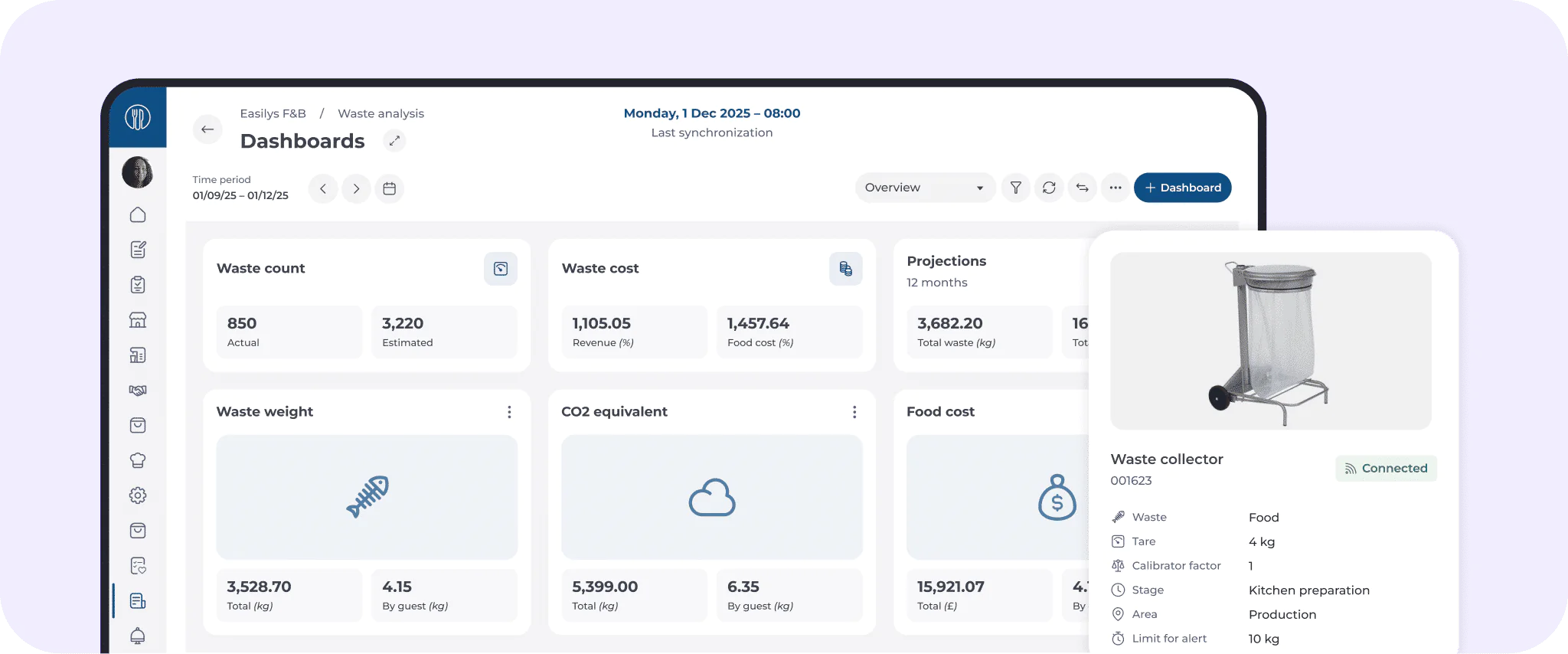
A dashboard interface displays waste analysis metrics, including waste count, cost, projections, weight, CO2 equivalent, and food cost. An overlay shows details for a connected waste collector bin labelled Food.
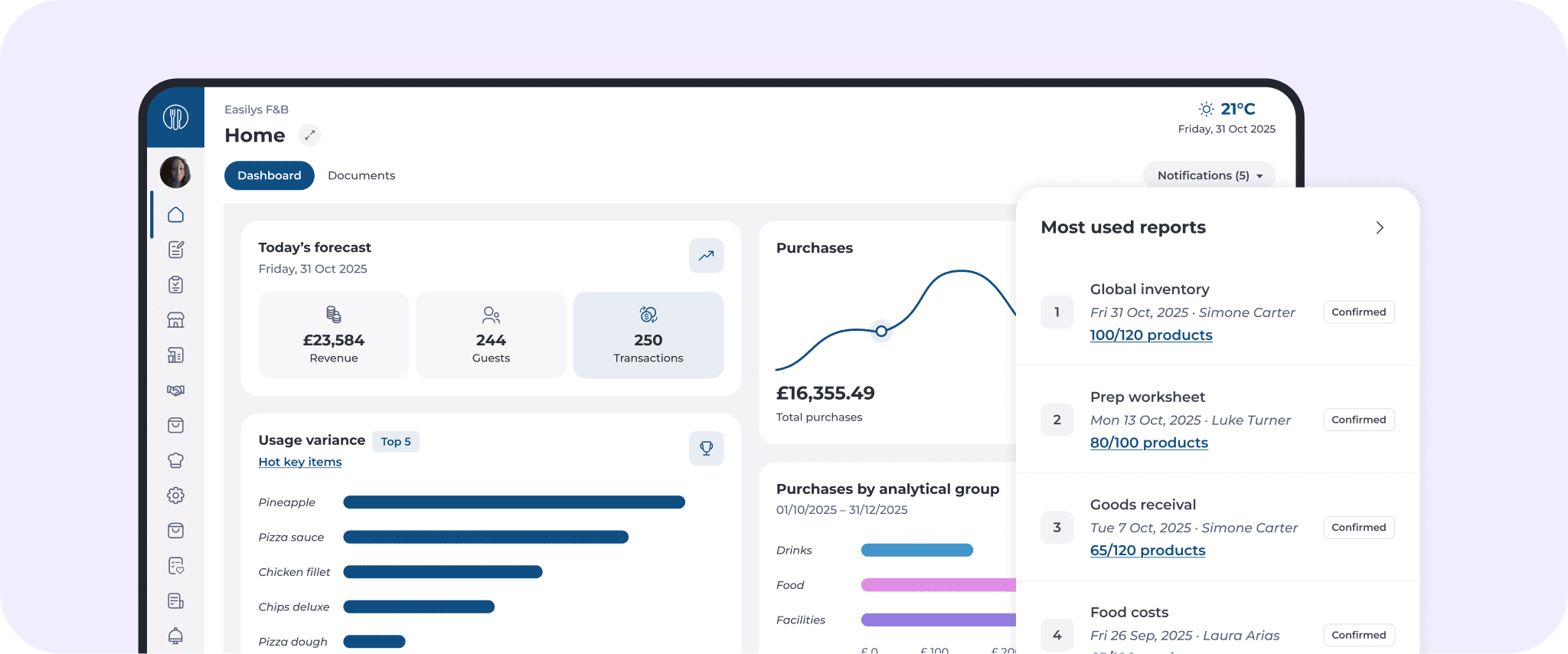
A user interface dashboard displays financial data, purchases graph, usage overview, and a sidebar listing most used reports with clickable links. The interface has a clean, modern design with blue and white tones.
A digital dashboard displays a weekly breakfast menu with prices and item options in columns. A sidebar lists contextual issues per unit, such as allergens and errors, for different UK cities including Edinburgh, Bristol, and London.

Centralised planning & communication

End-to-end supplier management, central production plans with real-time updates, package tracking and more in one place for better visibility.

Inventory & stock management

Keep on top of your stock, expiry dates and movements and make light work of stock takes. Integrates with your POS so your future order list is updated as each dish is sold.

Waste management

Get food waste insights across all sites, or drill down into individual sites with ease. Connect sorting tables and bins to weighing scales to track waste so you can see what you’re wasting and save money.

Single to multi-site operations intelligence

Sales forecasting, production reports, cost management, with real-time asset tracking and analytics, all on a highly-configurable dashboard.

Menu intelligence

Everything you need to optimise your menu. Find what’s most popular and profitable, keep track of allergen and nutritional information, get automated real-time food costs and more.

Our strengths

What makes it powerful

Automated

Integrations with your POS automate central kitchen stock data so you have accurate, real-time insights to optimise your operations.

Streamlined

One, easily configurable dashboard for all of your sites so you can get the big picture and monitor costs, food waste and supply for one or more of your sites.

Paperless

Reduces the amount of paperwork you have to deal with, improving accuracy and saving you time and money, while being more sustainable.

Mobile

User-friendly dashboards that can be accessed on any device, perfect for busy kitchen teams.

Capabilities

What we can do

A digital interface displays a meal planning dashboard with days, dishes, and portions listed. A pop-up window shows options to change the production date for salad mix batches.
A digital price list shows items like cos lettuce, tomato, and red onion with prices and details. Below, a photo of fresh produce displays baskets of vegetables. Supplier contact information is also shown.
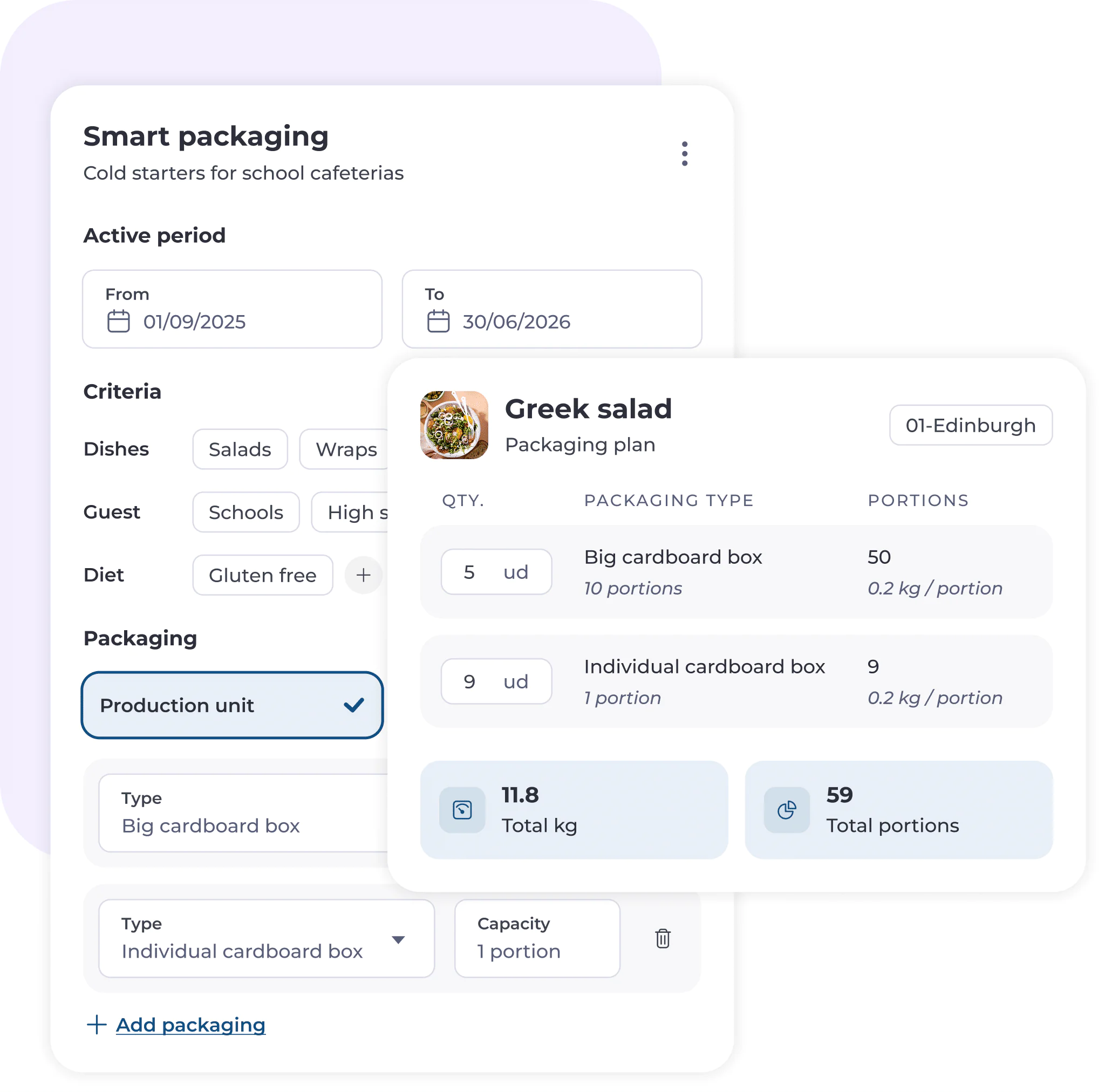
Two overlapping UI panels show a school canteen packing planner. One panel lists packaging criteria and options; the other details Greek salad with packaging types, portion counts, and total weight and portions.
A digital interface for composing a new communication displays options for type, allowed site types, date range, and a message about updated kitchen hygiene protocols. A preview of the message is shown below.

Centralised planning & communication

End-to-end supplier management, central production plans with real-time updates, package tracking and more in one place for better visibility.

Centralised planning & communication

Create your production plan with automated deviation rules, shift planning, real-time needs updates and set quantities for all sites.

Centralised supplier, product and price management

Get all supplier data and prices in one place to get the best quality and deals.

Smart packaging

Accurately monitor packaging materials, reduce waste and control costs by specifying how your production should be packaged.

Communications channels

Create communication channels with company news, external links, internal vacancies, team-building initiatives, suggestion boxes and more.

Inventory & stock management

Keep on top of your stock, expiry dates and movements and make light work of stock takes. Integrates with your POS so your future order list is updated as each dish is sold.

Complete stock updates & inventory tracking

Track stock transfers, removals and withdrawals in real time and wrap up stock-takes with our dedicated app.

Invoice automation

Manage all invoicing, both purchase invoices and credit notes from your suppliers for one site, or across your business.

Traceability

Track the origin of recipe ingredients at every stage of the process using their batch number.

A digital interface showing inventory management: a Movements section with entries for unknown loss, manual entry, stocktaking, and daily movement, plus a Stock transfer section with items in progress and despatched status.
A digital invoice interface showing a New invoice form with supplier details, itemised costs, VAT, and net amount. Overlapping is a Receipt control panel listing recent orders with dates, suppliers, and amounts.
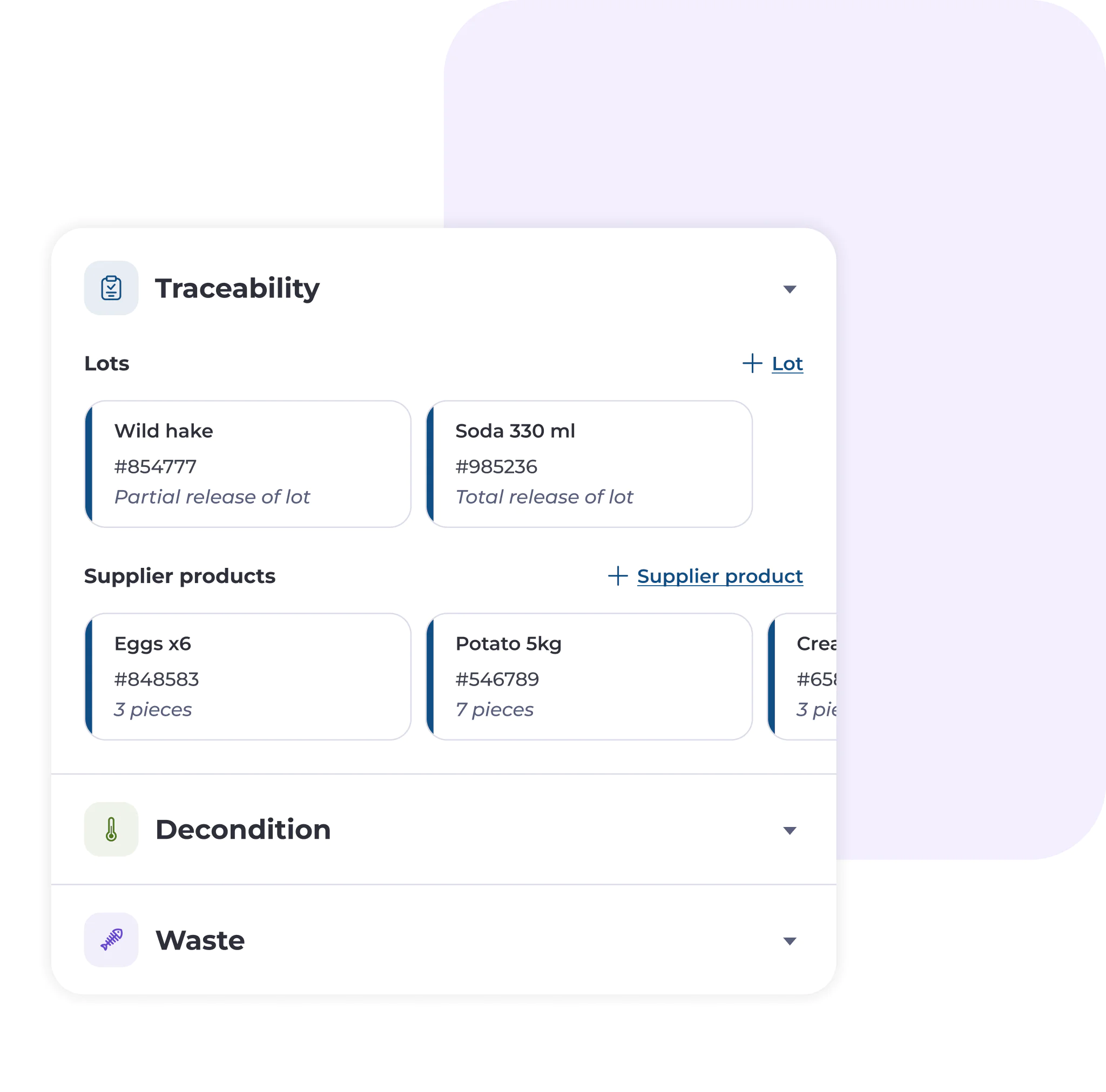
A digital interface displaying traceability info: lots include Wild hake and Soda 330 ml with codes; supplier products listed are Eggs, Potato 5kg, and Cream, each with quantity and code. Deconditioning and Waste sections are collapsed.
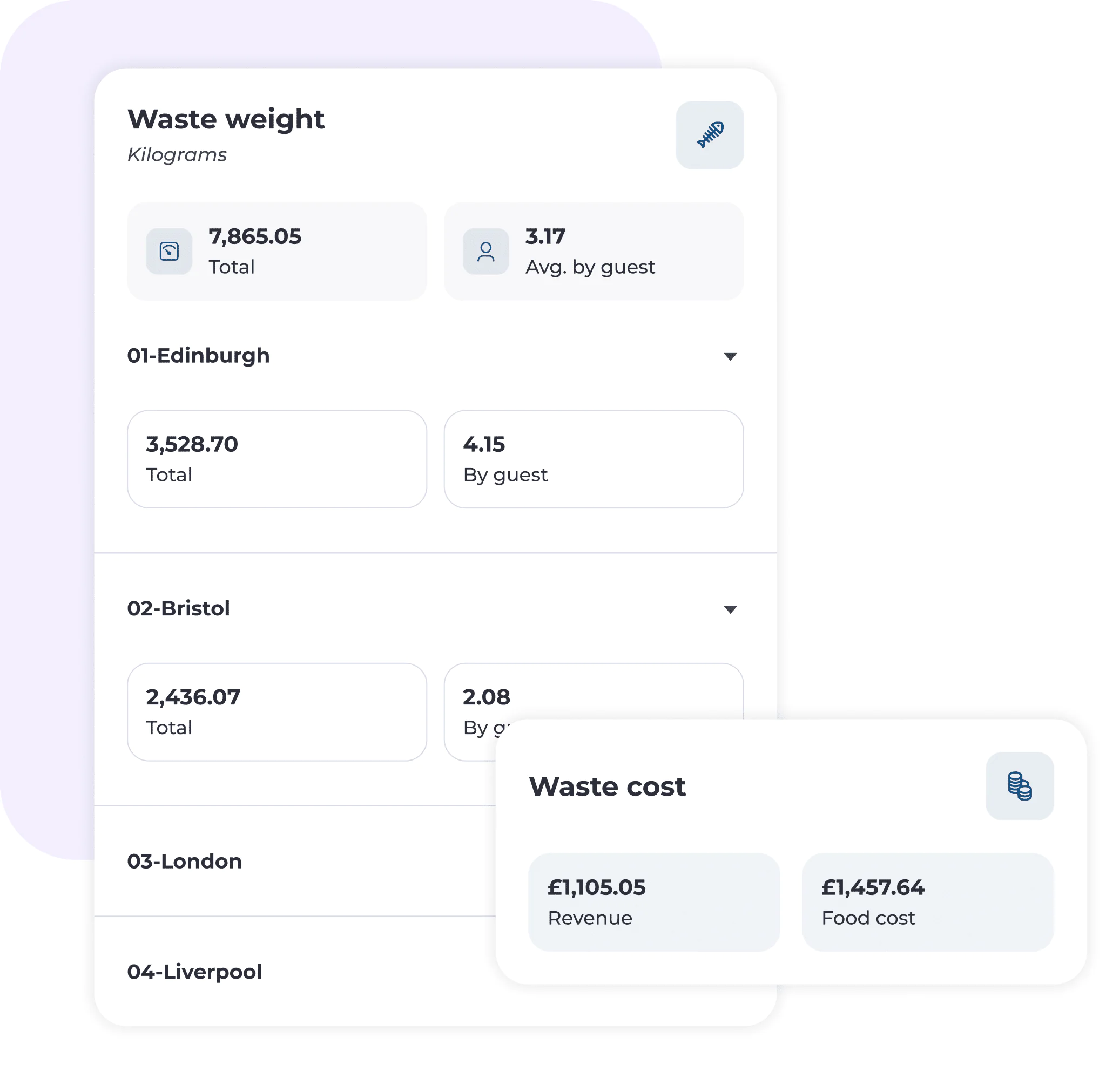
A dashboard displays waste weight data in kilograms for Edinburgh, Bristol, London, and Liverpool, showing total and average waste per guest, alongside a pop-up showing revenue and food cost in British pounds.
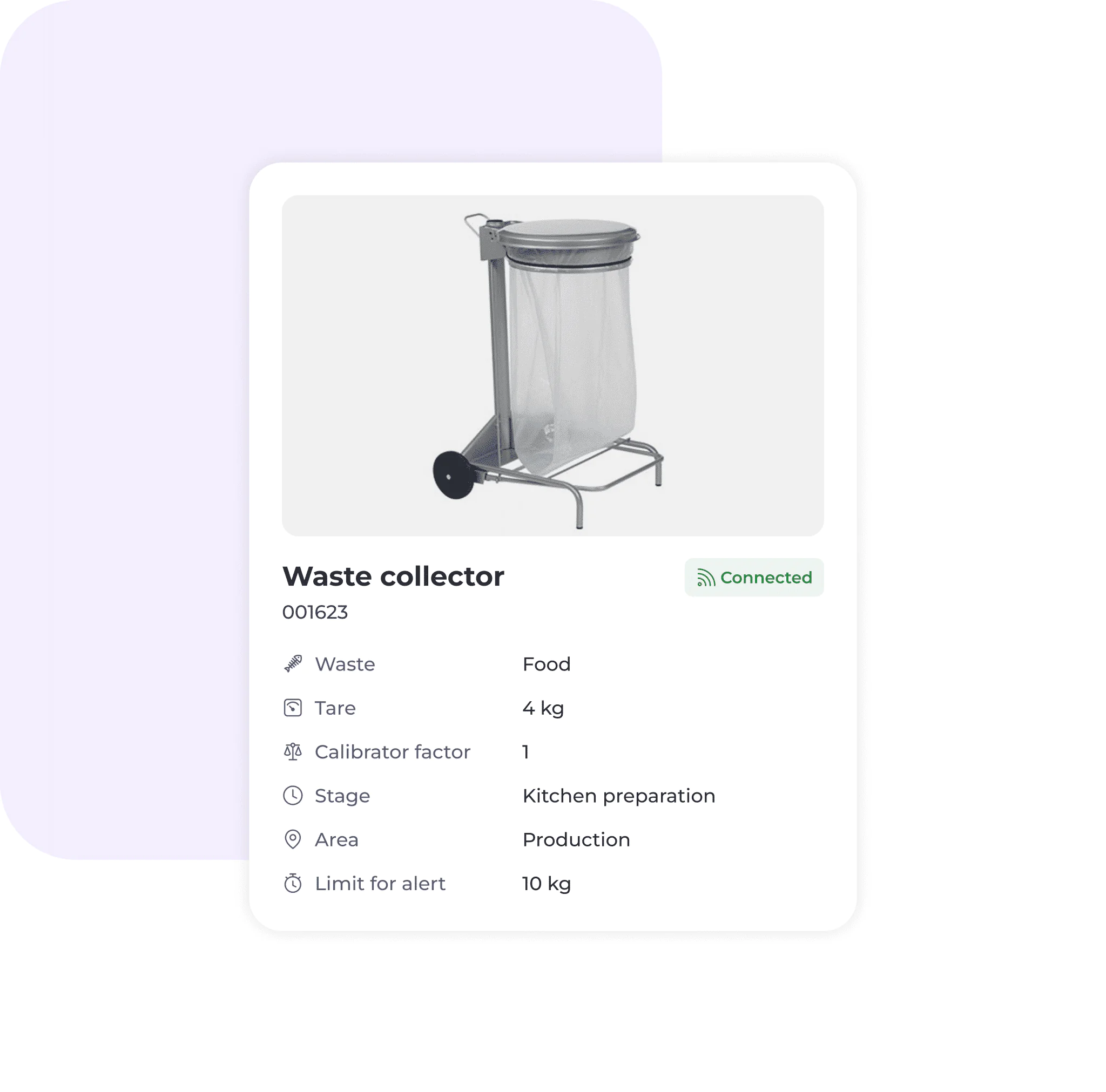
A digital card displaying a metal waste collector bin on wheels, labelled as Waste collector for food waste, showing details like tare weight, calibrator factor, stage, area, alert limit, and status as connected.
A digital inventory interface shows a product list with details like date, loss reason, quantity, and status. An item card for blueberries is highlighted, displaying cost, retail value, and stock adjustment options.
A digital form titled New waste input displays fields for date, hour, meal type, weight, and tare, with entries such as 30/02/2025, 11:11, Breakfast, 1 kg weight, and 0 kg tare.
A digital interface showing inventory management: a Movements section with entries for unknown loss, manual entry, stocktaking, and daily movement, plus a Stock transfer section with items in progress and despatched status.

Waste management

Get food waste insights across all sites, or drill down into individual sites with ease. Connect sorting tables and bins to weighing scales to track waste so you can see what you’re wasting and save money.

Food waste management

A clear dashboard that enables you to get a complete overview of waste across your business, or for individual sites.

Integrations

Connect your sorting table and bins to the weighing scales and register waste automatically. Or add it manually.

Known losses management

Better reflect operational realities by tracking known losses and markdowns in an easy-to-configure dashboard.

Waste management

Useful indicators reveal waste at different stages of production, distribution and plate waste, to help you understand the avoidable costs of food waste.

Stock transfers, removal & withdrawals

Maintain inventory control across all sites with a stock dashboard to easily track transfers, removals and other stock issues.

Single to multi-site operations intelligence

Drill down into data for single sites, groups, regions or the entire business and save your favourite scenarios for future reference.

Sales forecasting, production reports and cost management

Utilise POS data and sales history to input, review and validate sales expectations to forecast sales, streamline order prep, production planning and staffing needs.

Sales POS data collection

Keep your systems connected by feeding your POS data into dashboards to align metrics like daily revenue, ticket counts and meals served.

Managed & unknown shrinkage

Compare assumed and actual consumption for each site in order to manage shrinkage and provide breakdowns by product.

Real-time multisite management and analytics

Cross-business insights that help you better anticipate needs and plan resources for all departments, including finance, marketing, operations and purchasing.
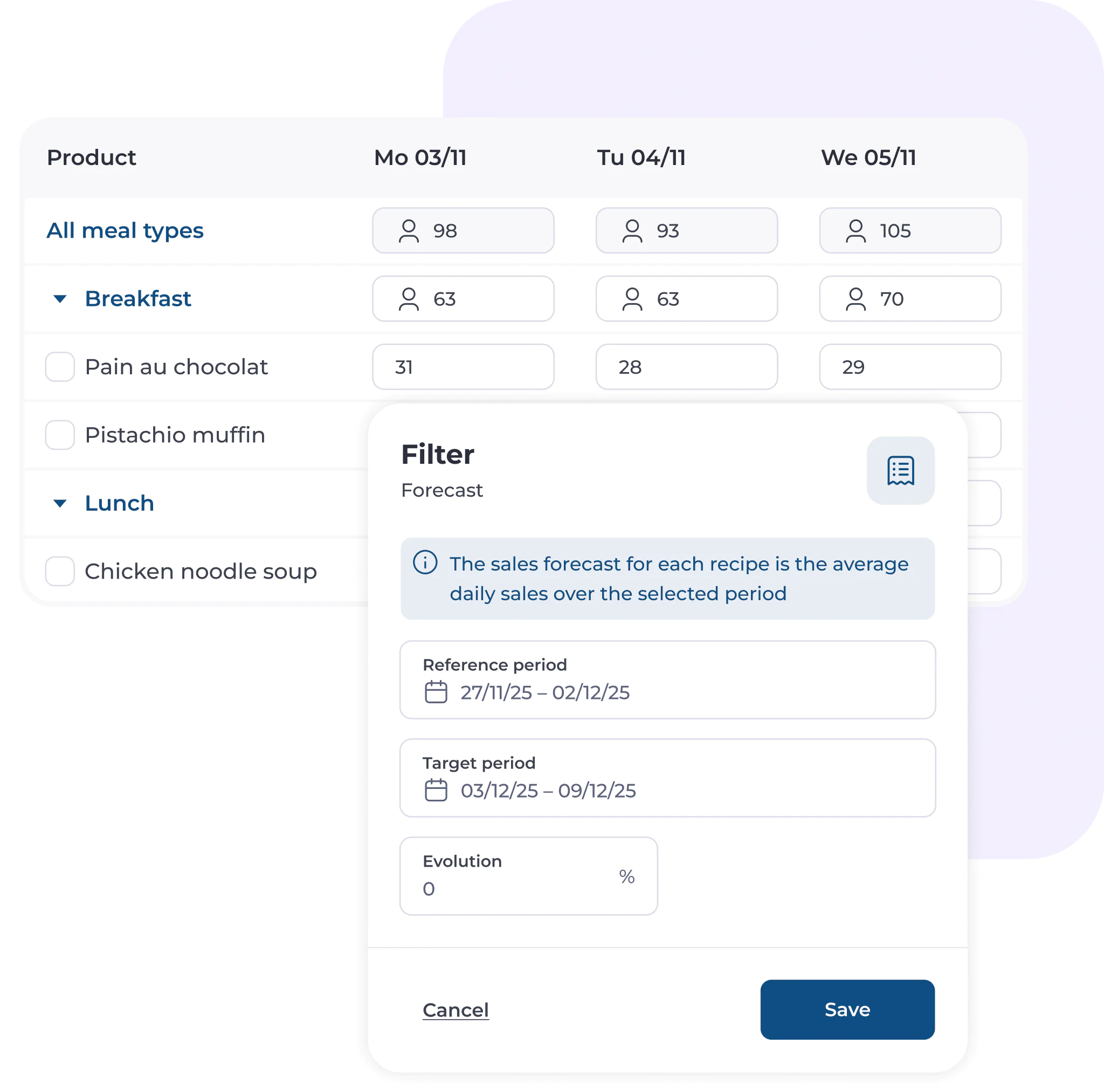
A menu screen showing product sales forecasts by day, including breakfast and lunch items, with a filter pop-up for setting reference and target periods and entering a percentage evolution.
A POS record for December 2025 displays sales on 10 December, listing chicken noodle soup, Greek salad, gazpacho, fish & chips, and caprese salad, along with their unit prices, units sold, and total sales.
A table displays data for four sites, showing actual and theoretical values for transfers, purchases, stock variation, and unknown shrinkage with deviations and losses. An additional box highlights unknown shrinkage deviation.
A list titled Purchases by product family shows seven categories with amounts spent. Fruit & vegetables is highlighted, showing £772.84 spent in the last seven days. Other categories include seafood, meat, drinks, and bakery.
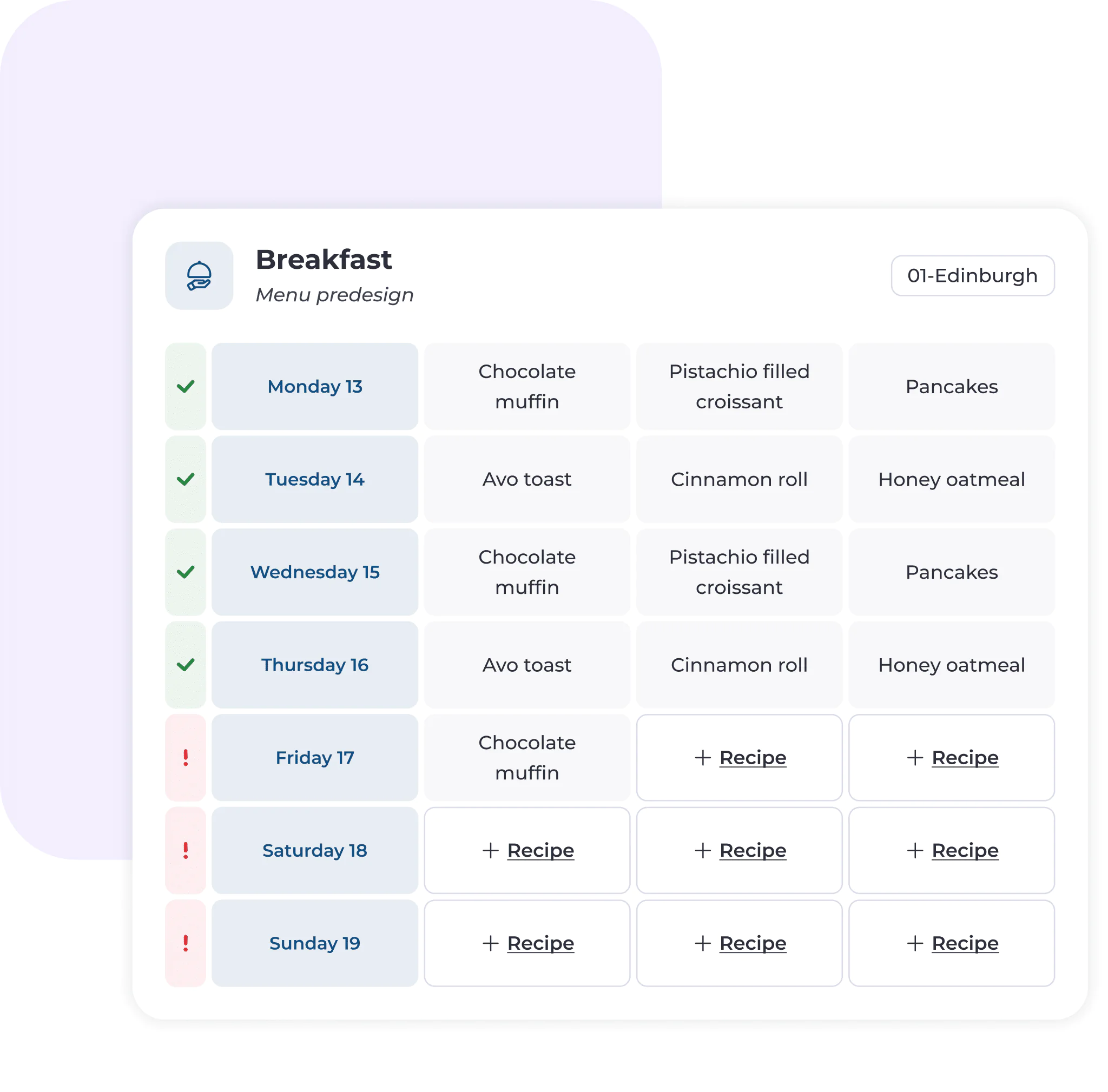
A weekly breakfast menu chart for Edinburgh showing daily options: muffins, toast, croissant, cinnamon roll, porridge, pancakes, and blank recipe slots for Friday to Sunday. Monday to Thursday are colour-highlighted.
A digital recipe card for creamy baked hake, showing an image of the dish with potatoes and herbs. Icons indicate allergens: fish, gluten, and milk. An allergen list with quantities and icons appears beside the recipe.
A digital dashboard shows a Caprese salad recipe card with cost, price, and gross margin, alongside a Recipes ranking list with six recipes ranked by profitability, each displaying percentages and costs.
A digital dashboard displays butter stock, delivery dates, and production management for baked goods, showing quantities, costs, and units for locations in Edinburgh and Bristol.

Menu intelligence

A source of truth for cost, allergen and nutritional values to help you maximise profits and optimise your menus to stay consistent across multiple sites.

Menu engineering

Understand the popularity and profitability of different items on your menu through inventory data and past sales.

Allergen and nutritional information

Ensure all allergen and nutritional information is up-to-date and validated. Generate allergen reports with ease.

Automated real-time food costs

Stay on top of real-time food prices to plan confidently, maximise profits, and pinpoint your top-performing menu items.

Menu cards

Maintain costs and margins across all sites, ensuring the exact ingredients, quantities, suggested prep and portion size.

Our strengths

Made to work hand in hand

Facilities

Take the headache out of managing equipment, fixtures and fittings with asset management purpose-built for hospitality.

Compliance

Stay up-to-date and compliant so you’re ready for any audit. Manage deviations and cut the risk of compliance tasks falling through the cracks and spot issues before they become emergencies.

Mapal OS solutions

A perfect match

Easilys

Essentials

Inventory, procurement and waste management with room to grow

• Stock level management

• Stock transfers, removals and withdrawals

• Direct supplier ordering and tracking

• Manual weighing for waste management

• And more

Easilys

Advanced

Comprehensive solution to manage menus, protect margins and increase visibility across your kitchen.

Everything in essentials +

• Recipe, ingredient and menu management

• Automated real-time food costs, allergen, nutritional value and margin calculations

• Production reports

• And more

Easilys

Our platform

Discover
Mapal OS

Mapal OS powers hospitality with industry-specific intelligence. Automation streamlines your operations and AI helps you run smarter – at any scale.

  • One stop shop for all your admin and setup
  • Shared data for deeper intelligence
  • AI where and when you need it
  • Mobile, tablet and desktop compatibility
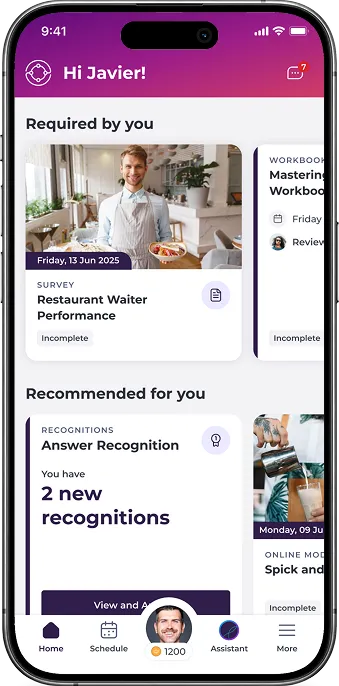
Our employee app, Mapal One, has everything your teams need to succeed. From making training easier to complete on the go to boosting communication to accepting extra shifts or requesting time off – they have it all, right in the palm of their hand. 

One-stop-shop for managers, including a lite version of everything they need to perform their daily tasks.