
Mapal manager

Mapal One
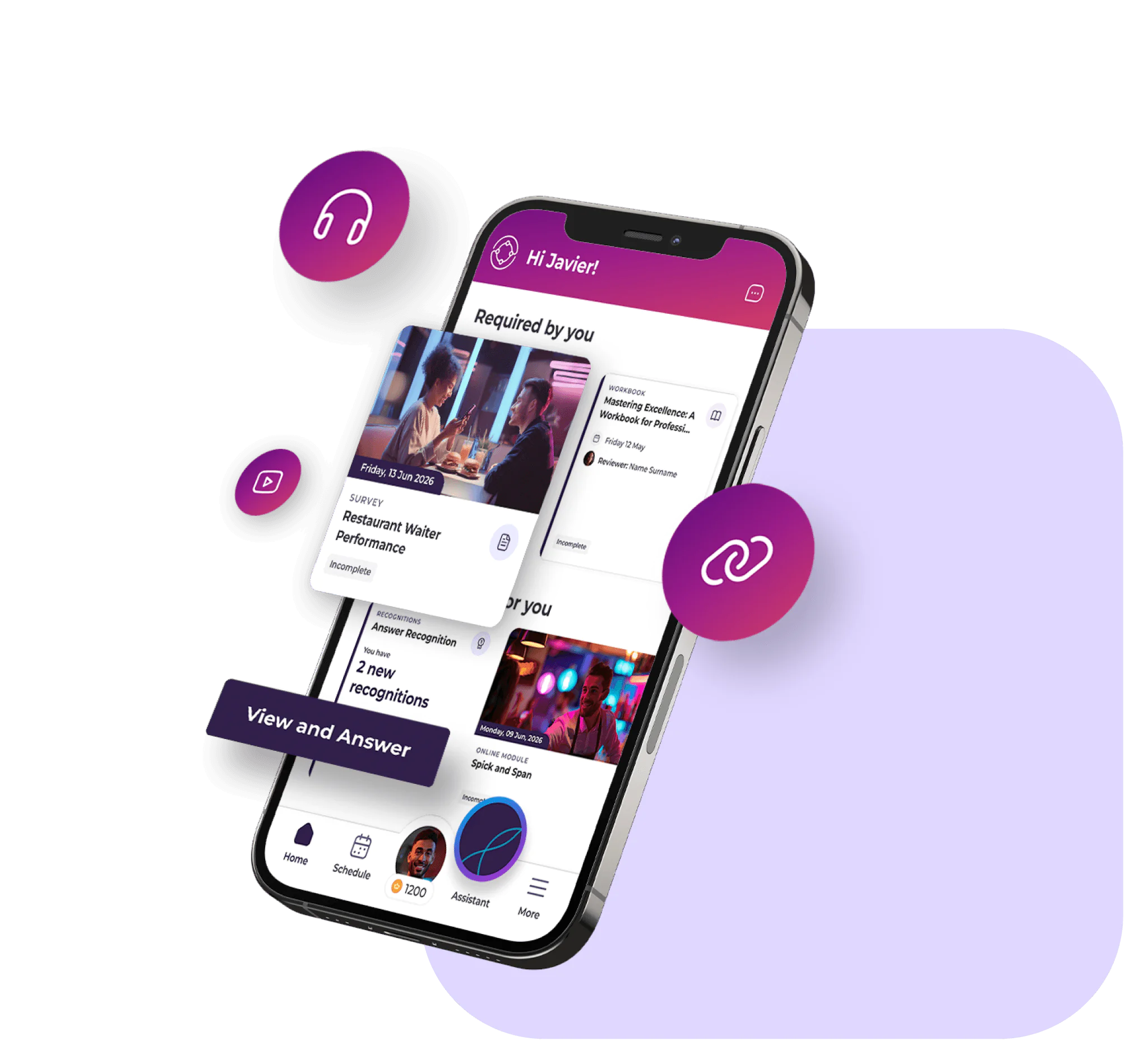
One app for training, community, news, schedules and daily tasks. At a desk or on the go, we’ve got you covered.
Our strengths
What makes it powerful

A global hospitality leader
Our impact
90
%
Compliance with shift regulations
<
70
%
Reduction in scheduling time
<
4
%
In labour cost savings
+
2
%
Increase in productivity
Features
How it helps you
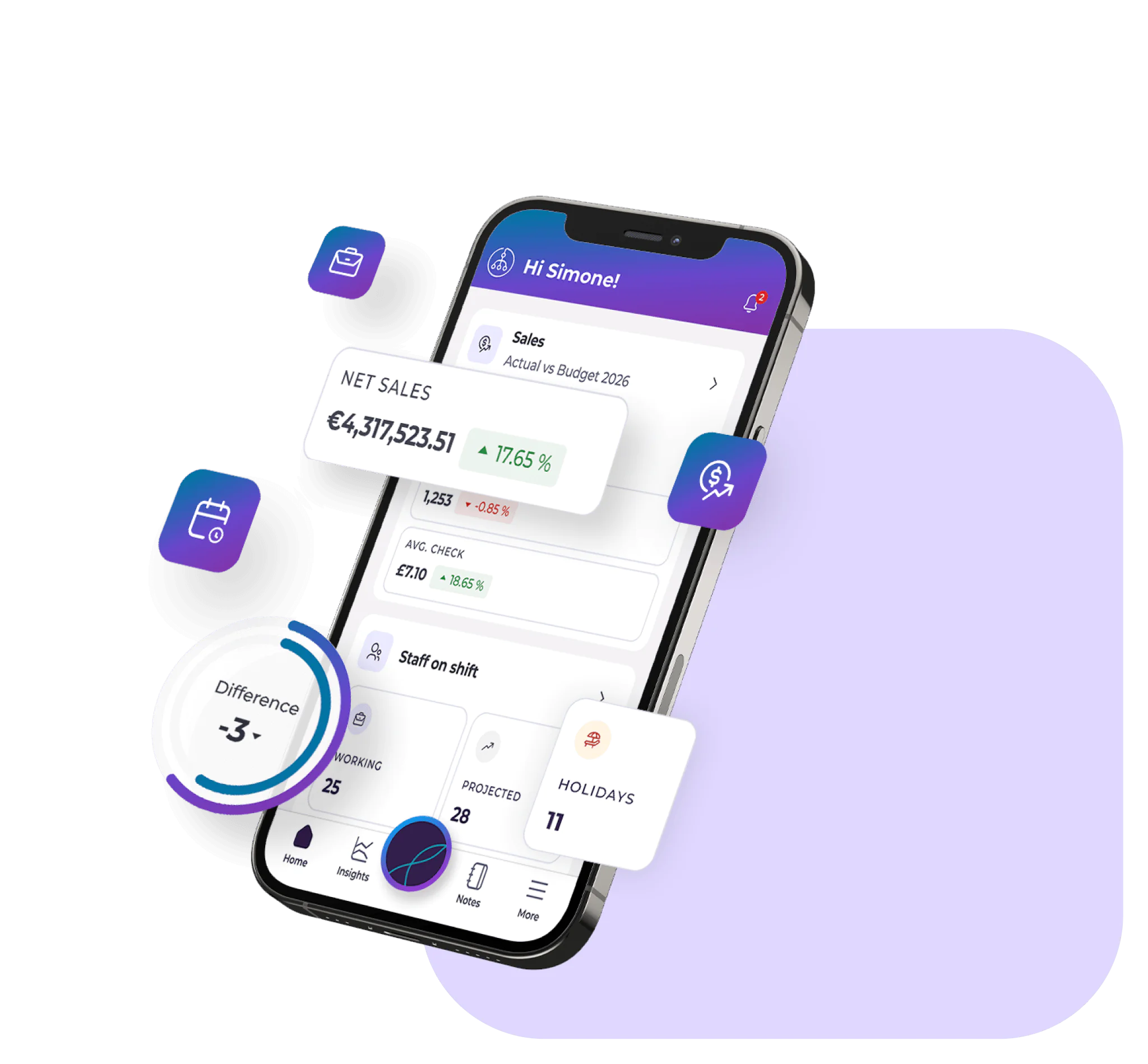
Mapal Manager brings your people management capabilities into one app, allowing you to manage schedules, labour costs and analytics and more while on the go or away from your desk.
People management
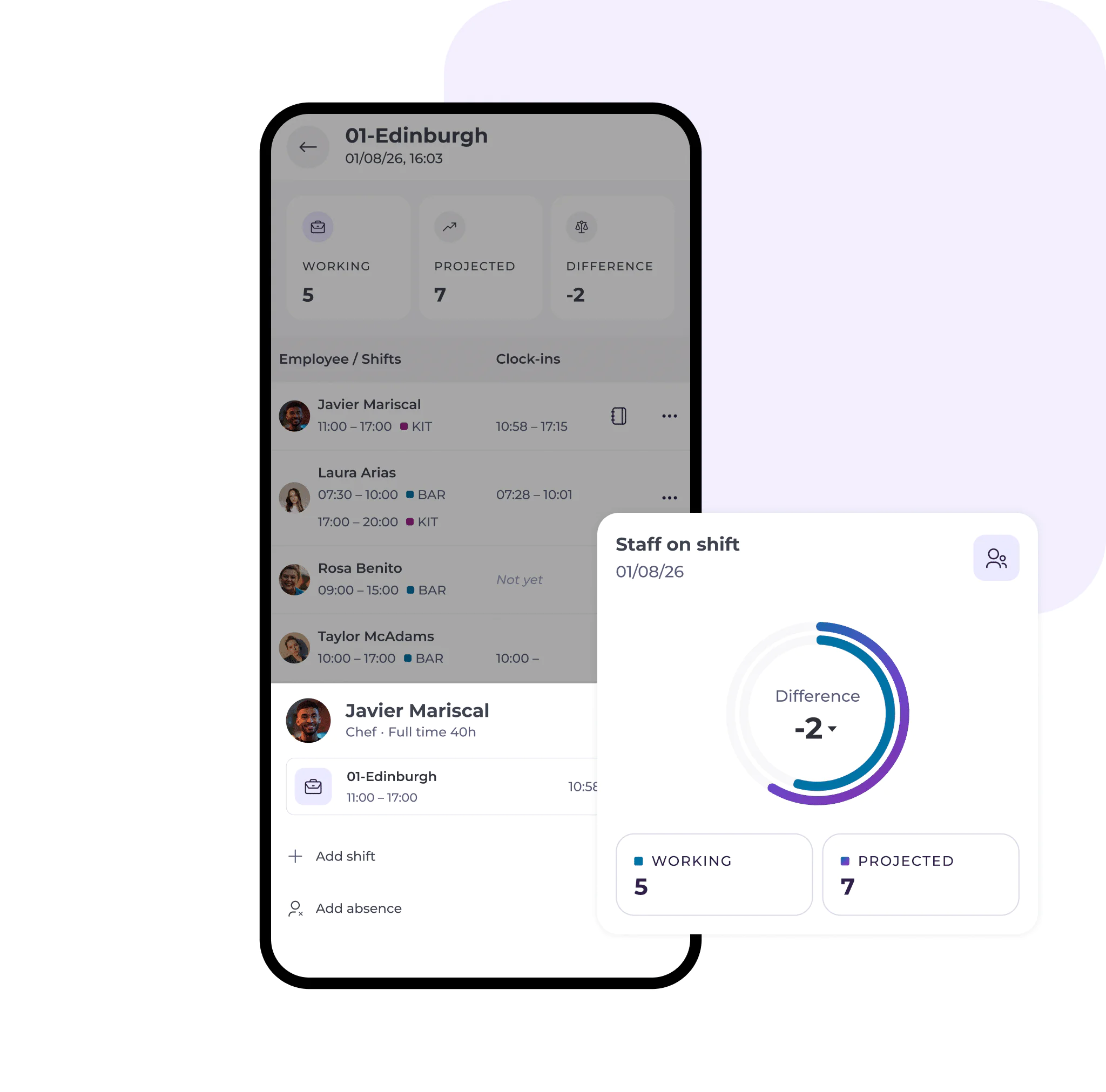
Staff on Shift
Get visibility over your workforce by seeing who is on shift at a selected location in real time.
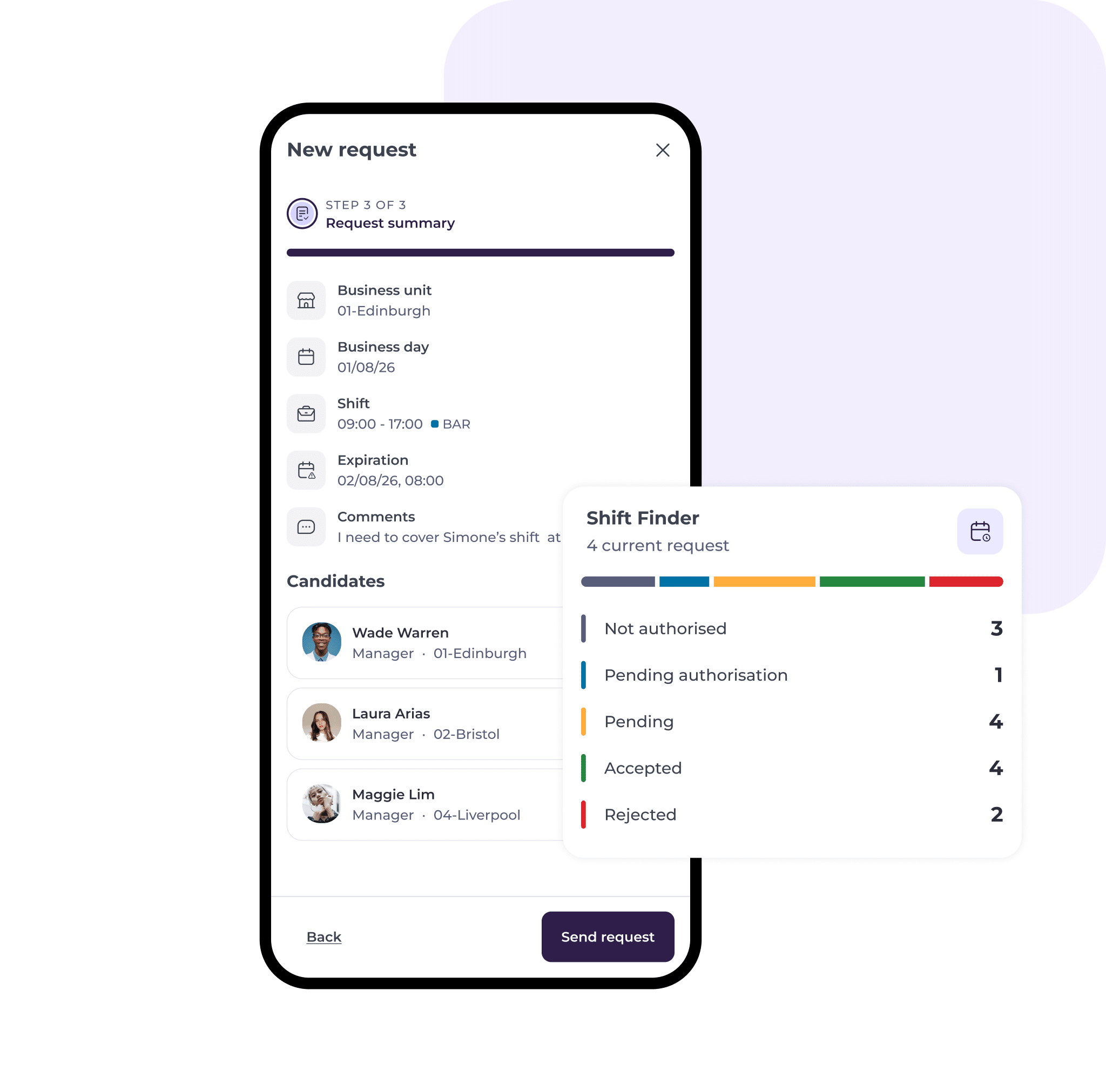
Shift Finder
Publish available shifts directly to the employee app, Mapal One, so that team members can accept open shifts with ease, ensuring there are no service gaps.
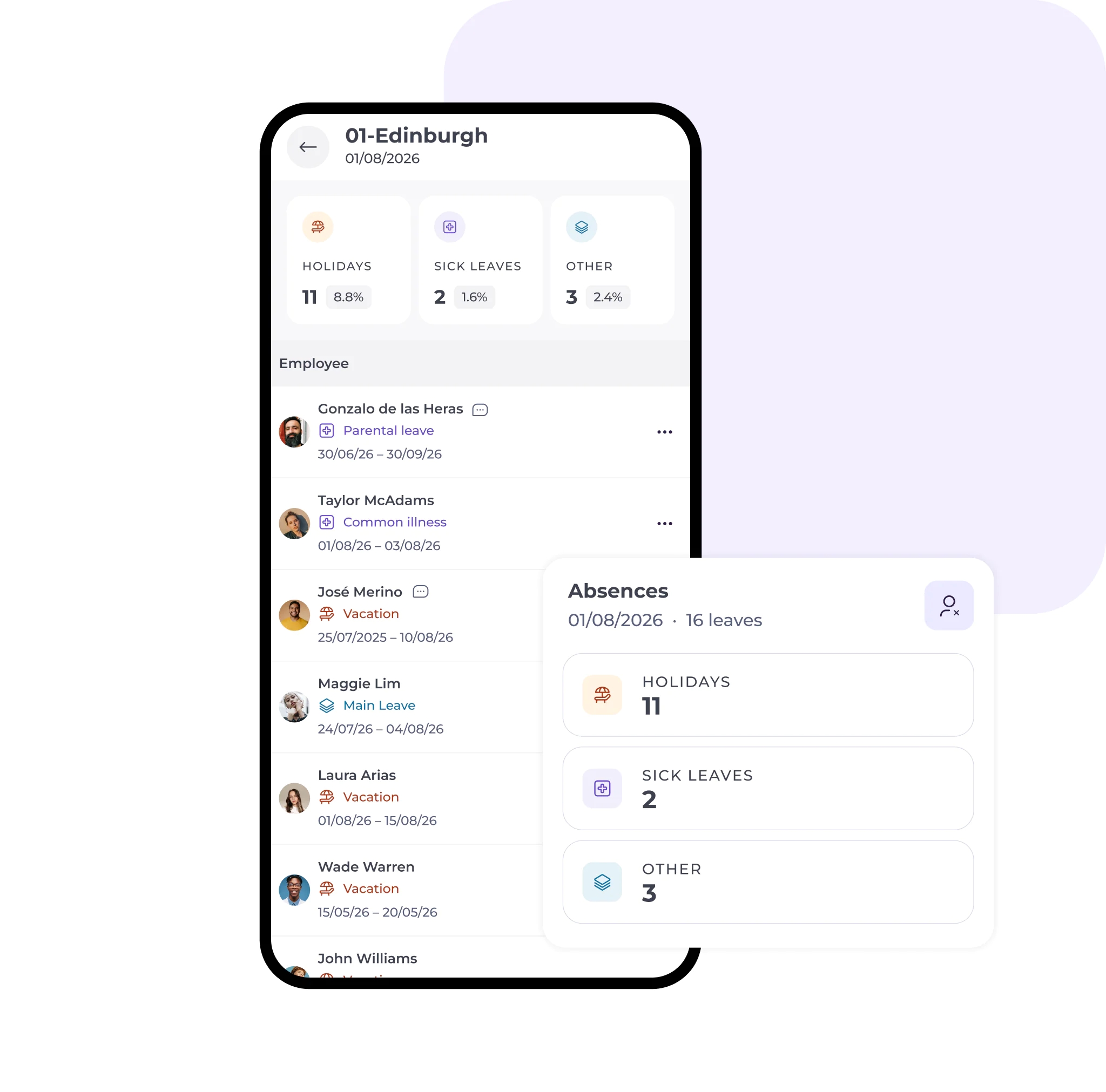
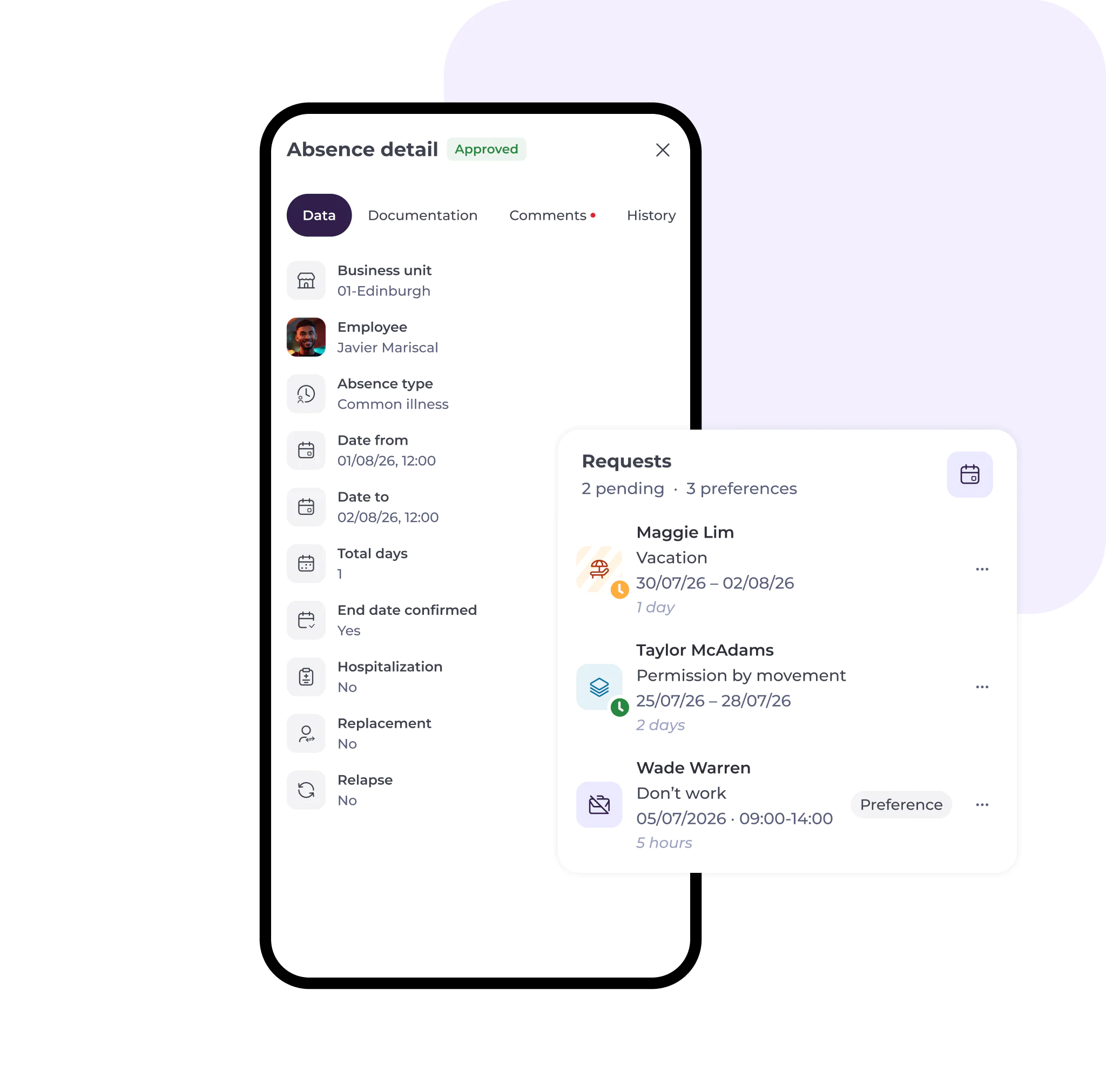
Absences
View current absences as well as requests submitted through Mapal One. See if they are due to illness or vacation and manage them in real time.
Requests
View absence requests that employees submit through Mapal One so you have transparency over your workforce across all locations.
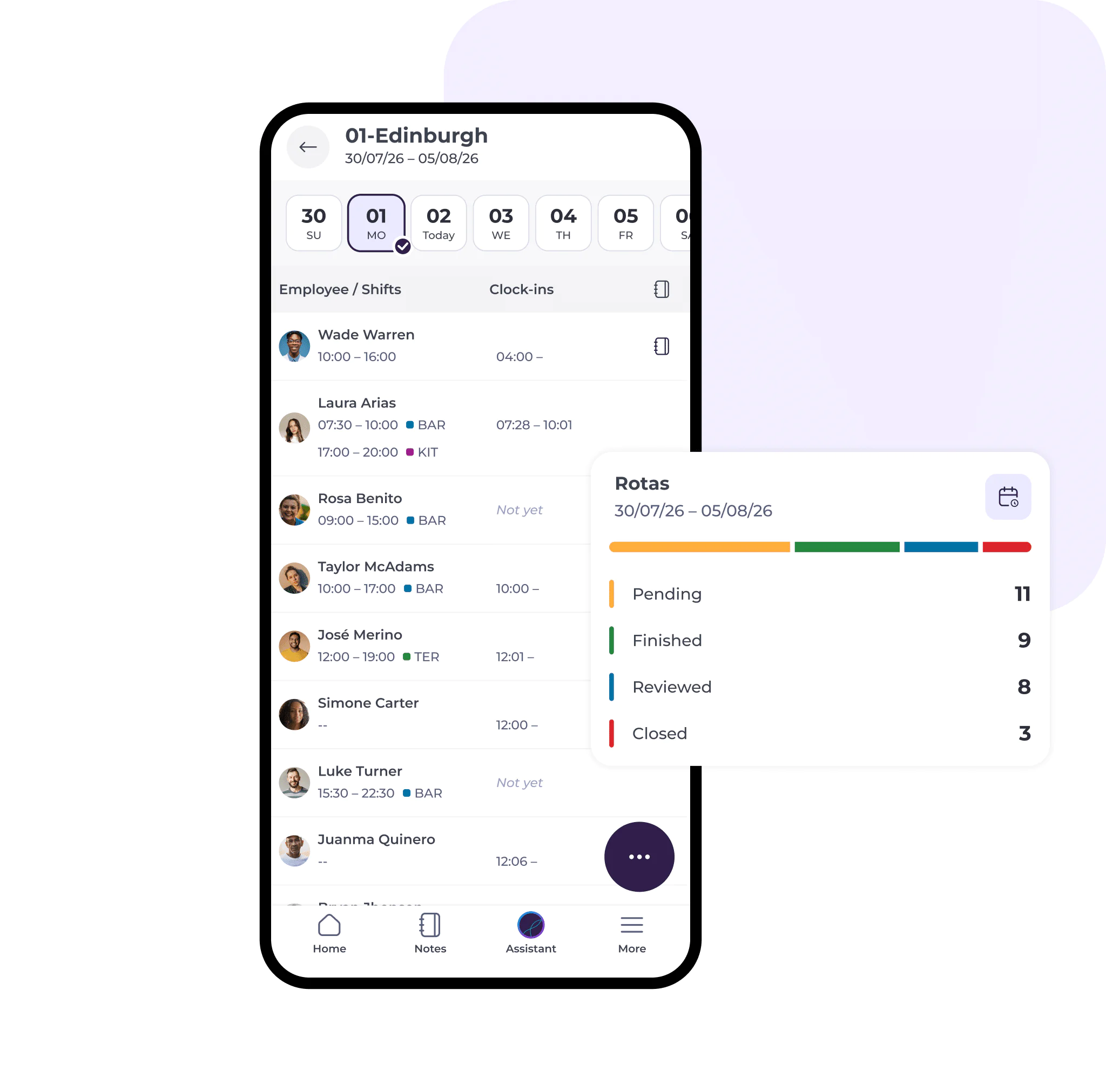
Rota
View rotas for specific locations. See which employees worked on particular days and use filters to navigate through employee schedules.
Analytics management
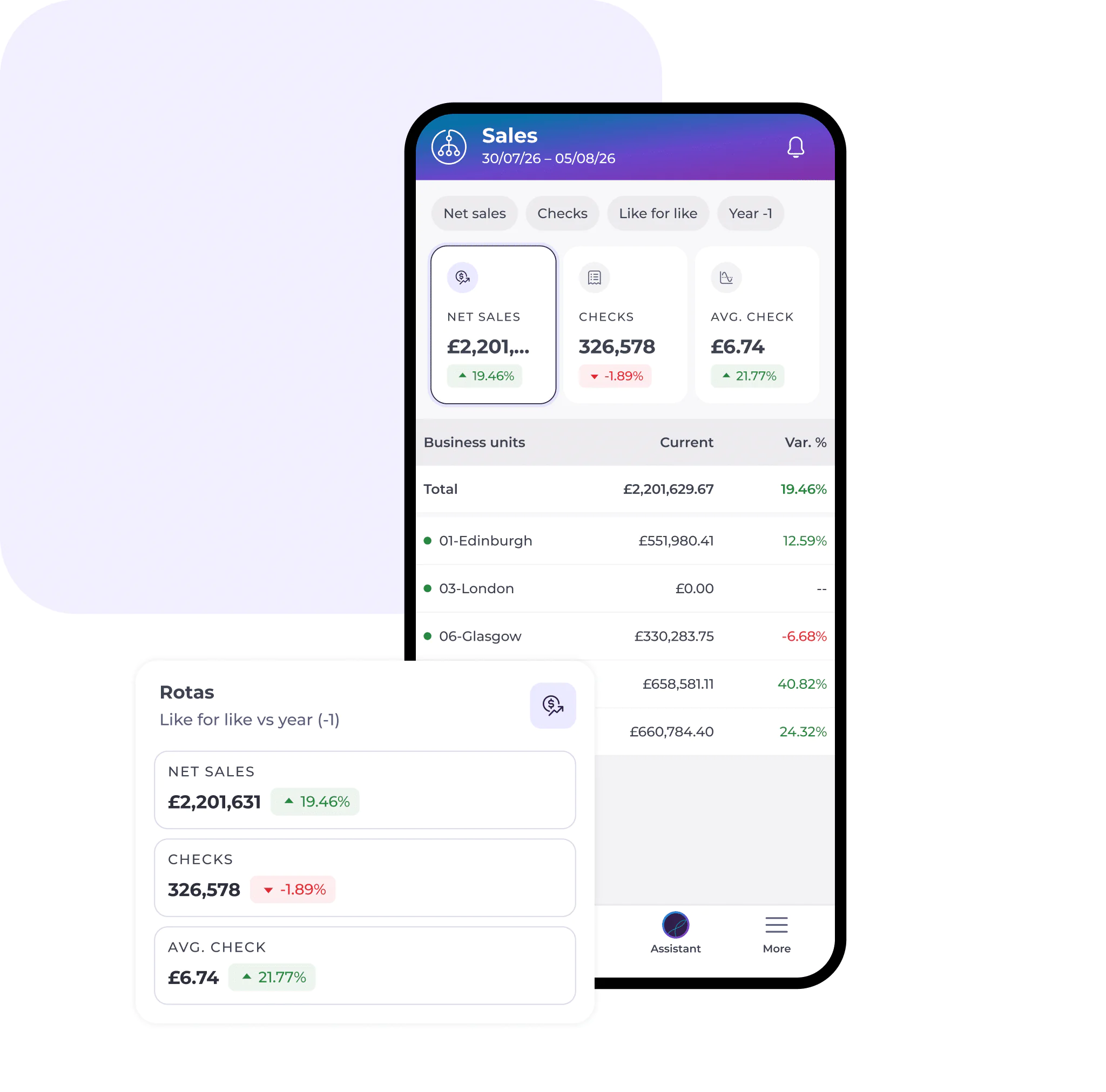
Sales analytics
Get a comprehensive view of your sales performance and customer metrics so you can make data-driven decisions. Save and access scenarios so you can quickly visit the reports and dashboards you use most.
Mapal on the go
Mapal Manager in action

Simone
Venue Manager
- Plans shifts with AI-driven demand forecasting
- Tracks stock levels, compliance and supplier delivery performance
- Investigates underperformance with dashboards and sentiment data
- Responds to customer feedback directly, guided by AI
- Feels in control, empowered and confident in every decision
Mapal gives Simone control and visibility.
Mapal OS solutions
What we offer
focused on
People
Inspire confident, compliant teams who learn, grow and engage.
From day one, deliver standout service and memorable guest experiences, across every site and service.
focused on
Operations
Bring all inventory cost and risk drivers together.
From inventory to waste and compliance, gain full visibility, reduce costs and protect margins with standardised operations.
focused on
Intelligence
Take control of staffing, time and labour costs.
From smart scheduling to last-minute changes, cut stress and disruption to let everyone focus on great guest experiences.

Mapal Manager
Manage your people with our easy-to-use app giving you access to the features in Workforce you need most without needing to be in front of a computer.
Our strengths
What makes it powerful
A global hospitality leader
Our impact
90
%
Compliance with shift regulations
<
70
%
Reduction in scheduling time
<
4
%
In labour cost savings
+
2
%
Increase in productivity
Features
How it helps you
Mapal Manager brings your people management capabilities into one app, allowing you to manage schedules, labour costs and analytics and more while on the go or away from your desk.
People management
Staff on Shift
Get visibility over your workforce by seeing who is on shift at a selected location in real time.
Shift Finder
Publish available shifts directly to the employee app, Mapal One, so that team members can accept open shifts with ease, ensuring there are no service gaps.
Absences
View current absences as well as requests submitted through Mapal One. See if they are due to illness or vacation and manage them in real time.
Requests
View absence requests that employees submit through Mapal One so you have transparency over your workforce across all locations.
Rota
View rotas for specific locations. See which employees worked on particular days and use filters to navigate through employee schedules.
Analytics management
Sales analytics
Get a comprehensive view of your sales performance and customer metrics so you can make data-driven decisions. Save and access scenarios so you can quickly visit the reports and dashboards you use most.
Mapal on the go
Mapal Manager in action
Simone
Venue Manager
- Plans shifts with AI-driven demand forecasting
- Tracks stock levels, compliance and supplier delivery performance
- Investigates underperformance with dashboards and sentiment data
- Responds to customer feedback directly, guided by AI
- Feels in control, empowered and confident in every decision
Mapal gives Simone control and visibility.
Mapal OS solutions
What we offer
focused on
People
Inspire confident, compliant teams who learn, grow and engage.
From day one, deliver standout service and memorable guest experiences, across every site and service.
focused on
Operations
Bring all inventory cost and risk drivers together.
From inventory to waste and compliance, gain full visibility, reduce costs and protect margins with standardised operations.
focused on
Intelligence
Take control of staffing, time and labour costs.
From smart scheduling to last-minute changes, cut stress and disruption to let everyone focus on great guest experiences.