Workforce 
scheduling features

Workforce scheduling is a breeze with our superpowered shift optimisation engine. Check out all the different ways Workforce by Mapal helps you, your team and your bottom line.
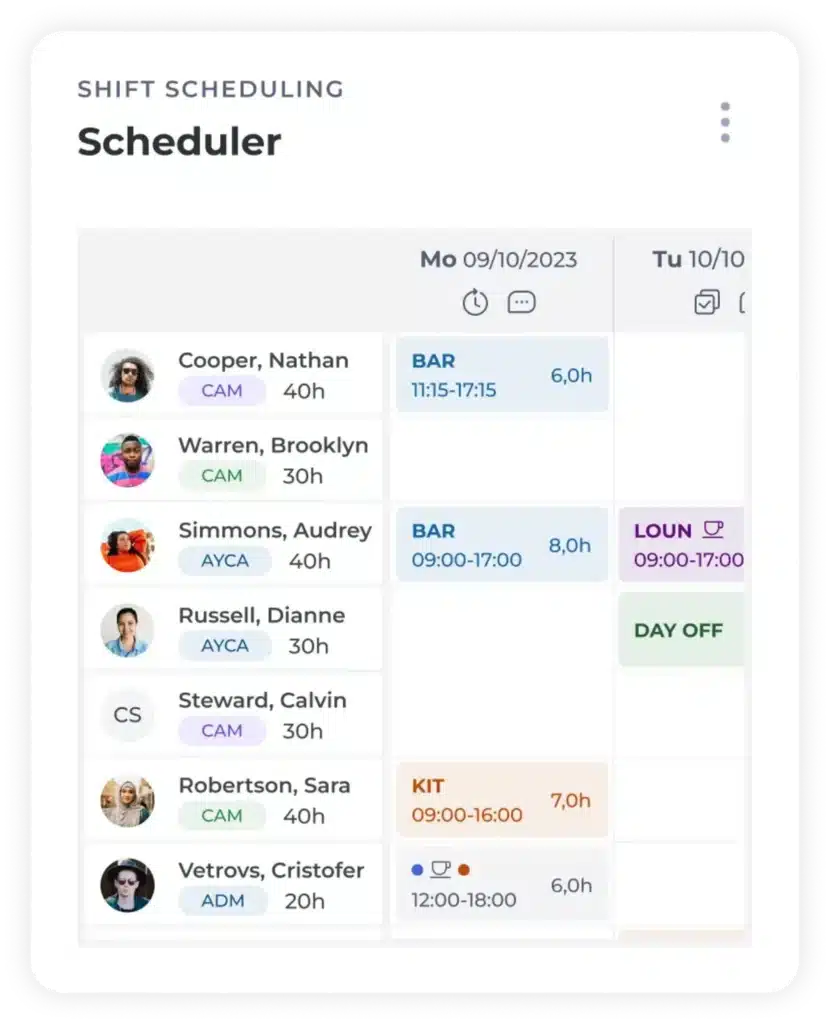
A digital shift rota shows employees’ names, roles, and colour-coded shifts for 9 October 2023, listing hours, locations, and shift durations in a table format.

Multi-site functionality

Multiple Sites at Once

Group locations together to plan schedules in bulk and save time.

Multi-Language Support

Supports multilingual operations for international businesses.

Complex Hierarchies

Configure permissions and access levels across organisational structures.

Variable Pay Automation

Automatically calculate bonuses and variable pay across regions.

Labour Quota Management

Manage labour quotas and support compliance with local employment regulations.

Workforce scheduling tools

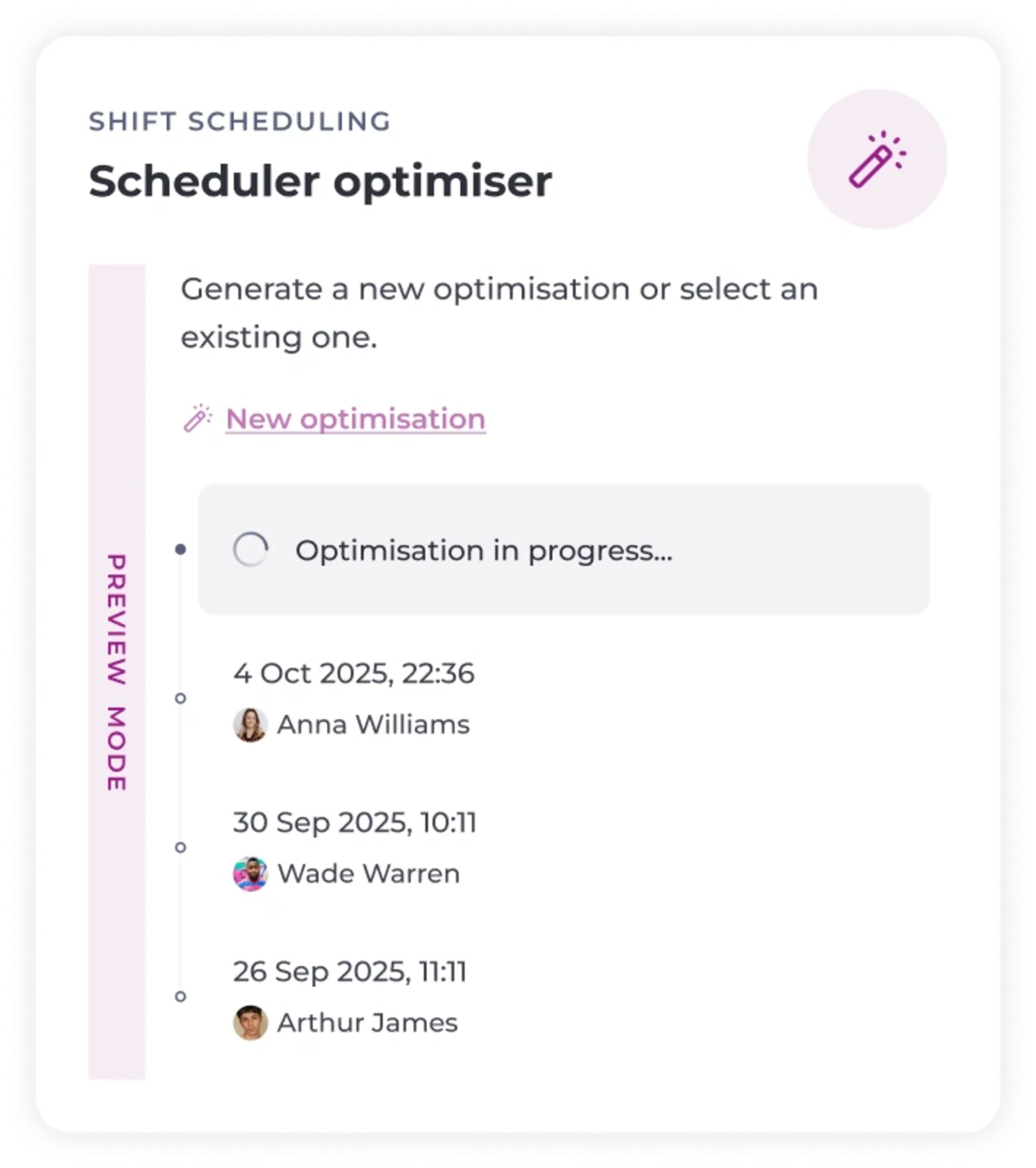
A scheduler optimiser interface showing options to generate a new optimisation, an optimisation in progress, and a list of previous optimisations with dates and names: Anna Williams, Wade Warren, and Arthur James.
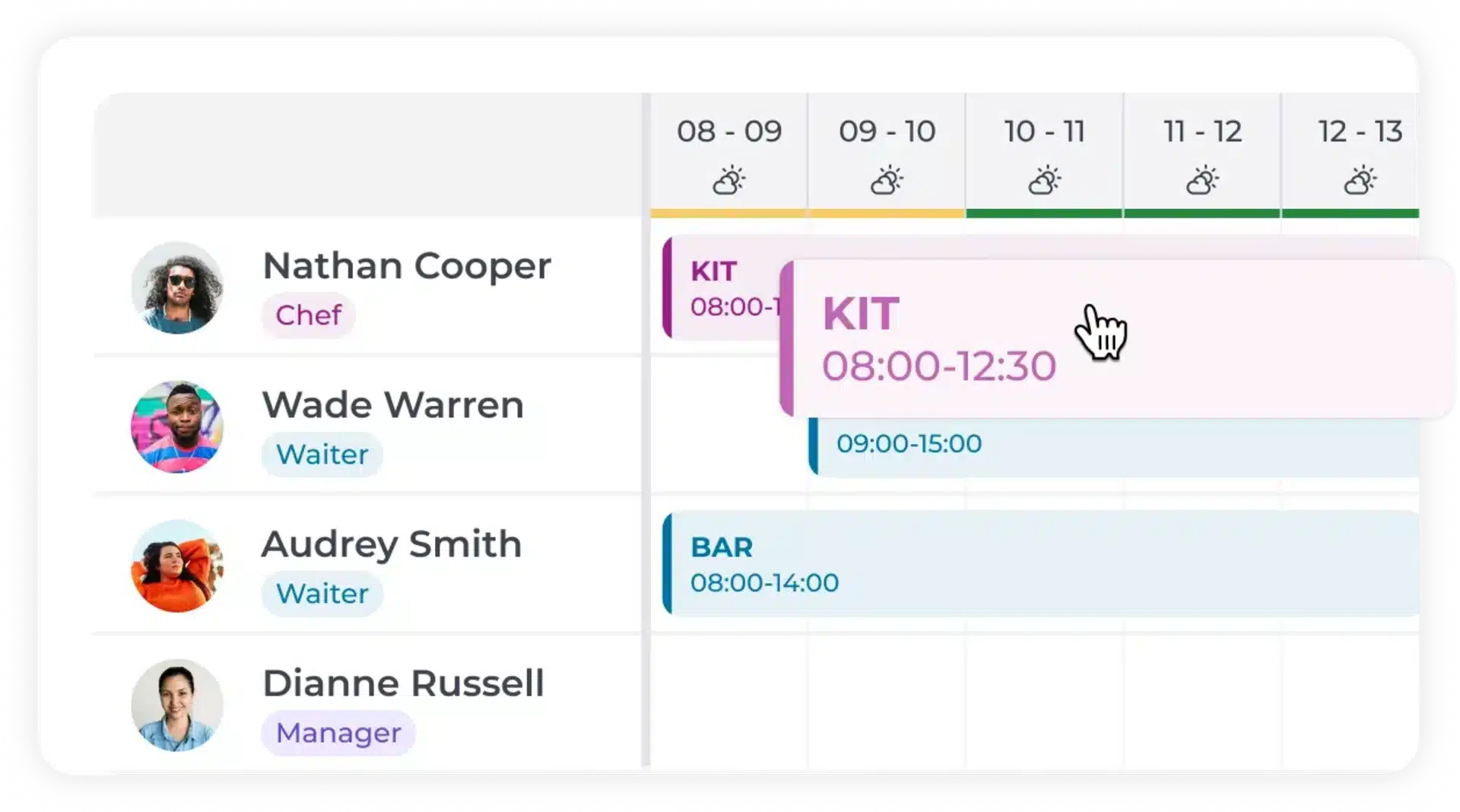
A digital rota shows shifts for four employees with coloured blocks indicating their work times and roles, such as chef, waiter, and manager, between 08:00 and 15:00. A cursor points to a shift labelled KIT 08:00-12:30.
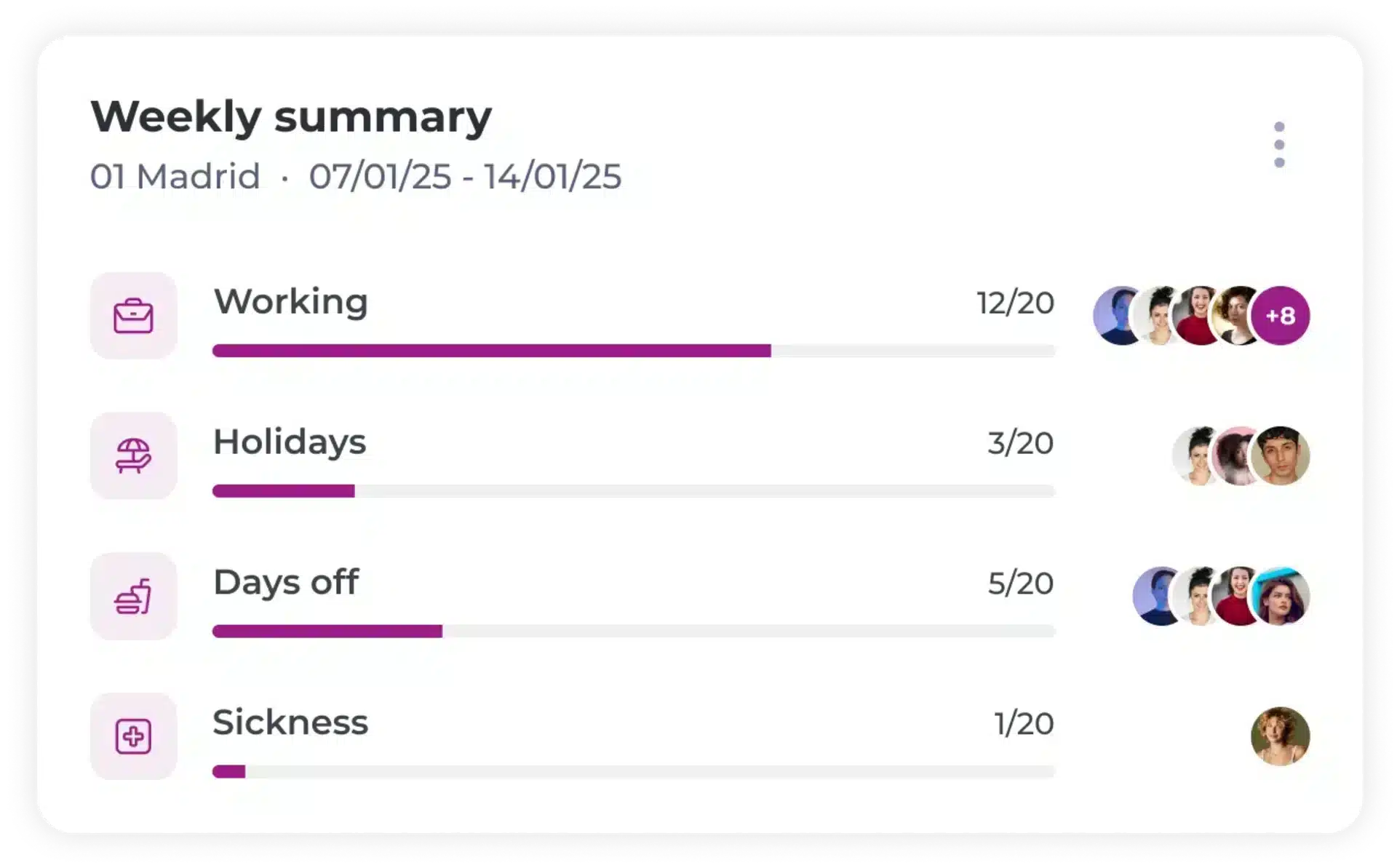
A weekly summary chart for Madrid (07/01/25–14/01/25) shows progress bars for Working (12/20), Holidays (3/20), Days off (5/20), and Sickness (1/20), with user icons next to each category.
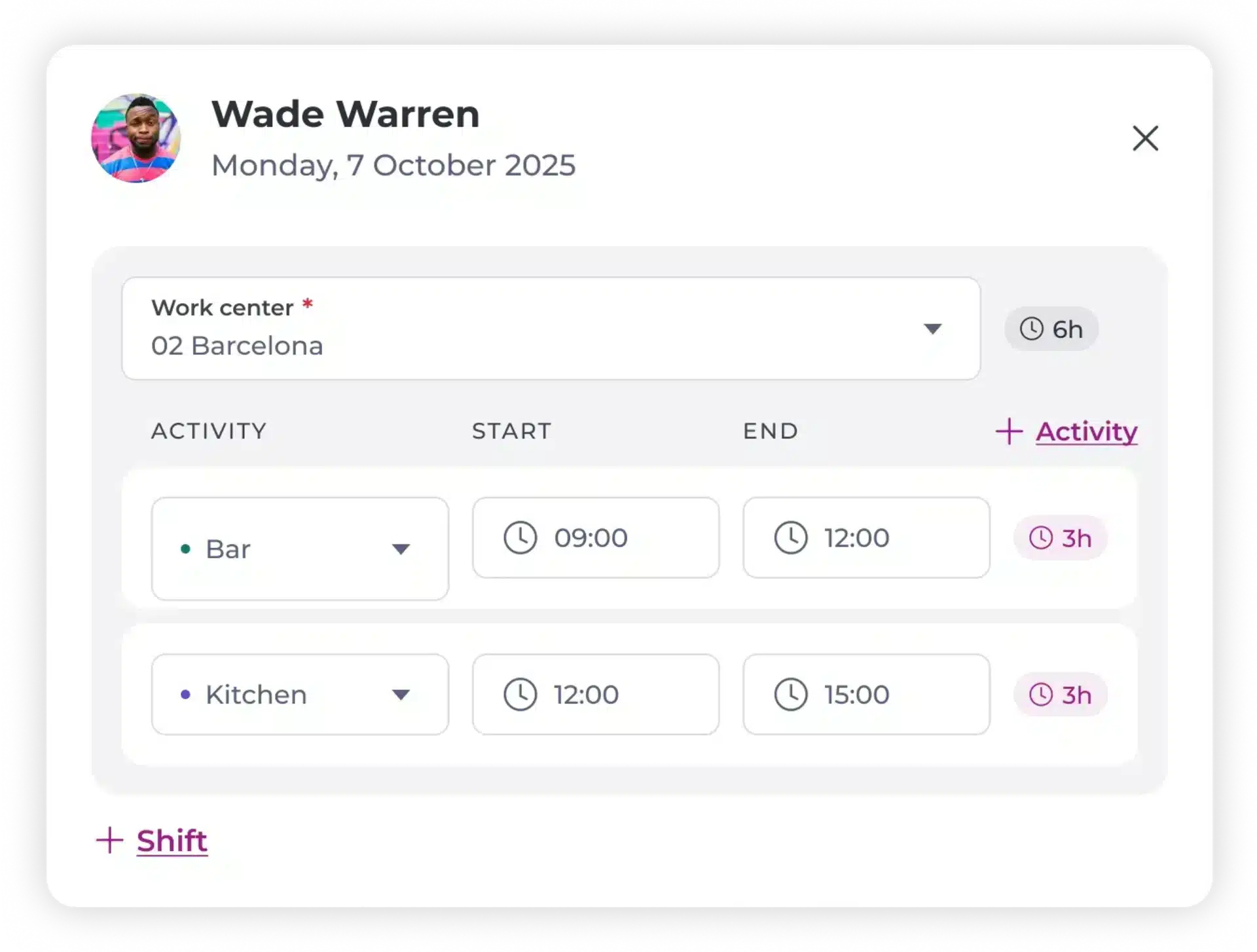
A scheduling app screen for Wade Warren on Monday, 7 October 2025, showing activities at the 02 Barcelona work centre: Bar from 09:00 to 12:00 and Kitchen from 12:00 to 15:00, each shift lasting 3 hours.
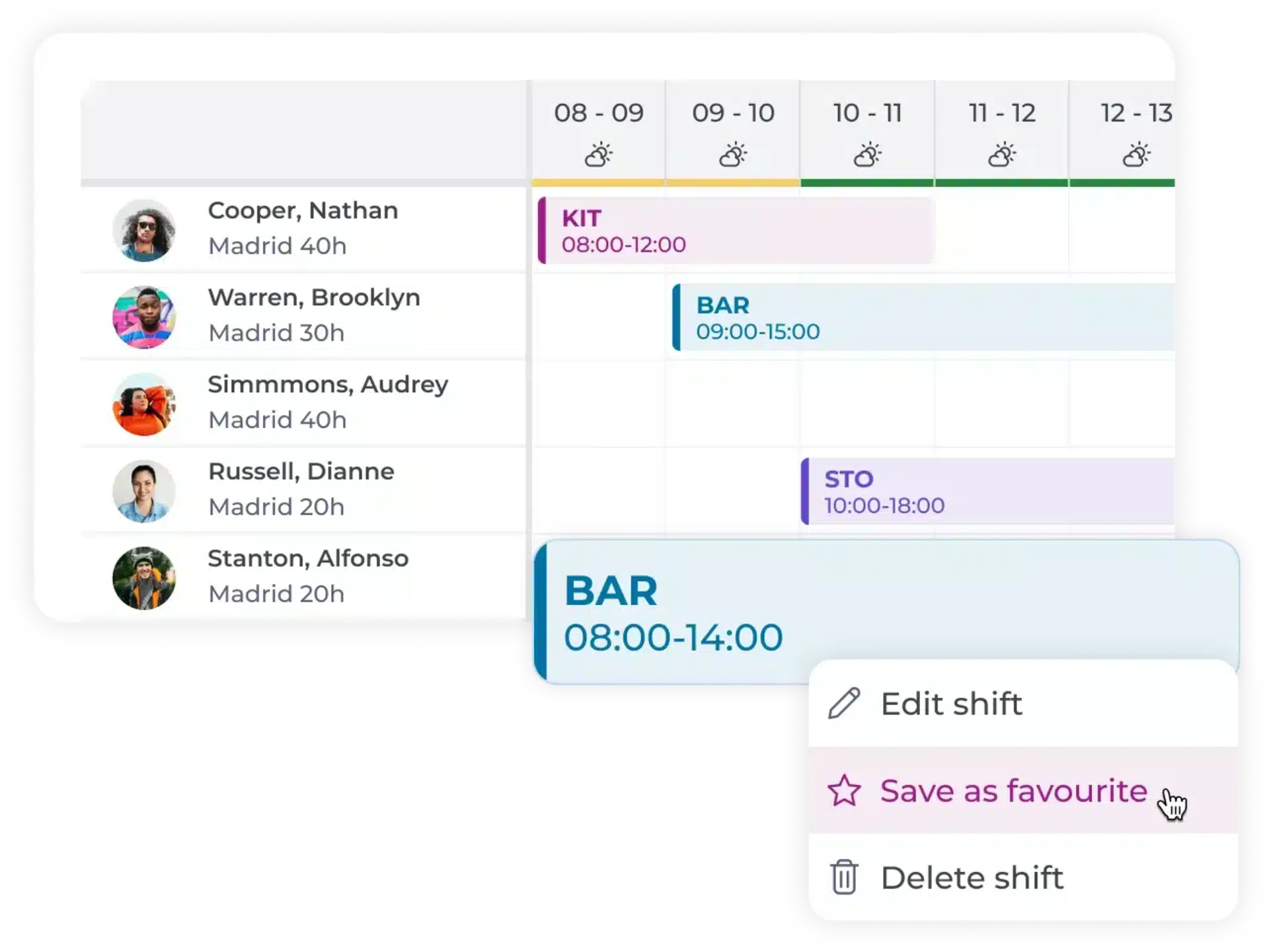
A scheduling interface shows employees assigned shifts on a calendar. A shift labelled “BAR” is selected, displaying options to edit, save as favourite, or delete the shift. Employee names and shifts appear on the left.

Schedule optimisation engine

Powerful algorithms generate perfect workforce scheduling plans based on past sales, reducing costs, boosting productivity and avoiding unnecessary overtime.

Simply drag and drop

Easily create, edit, and move shifts within the team, or swap between different stores through our people planner.

Plan ahead

Plan and optimise holiday and seasonal workforce planning up to a year in advance to make sure you’re covered, then adjust later.

Multiple shifts or activities

Assign different periods or tasks to the same employee in one day.

Create favourite shifts

Save shift plans to favourites and just drag them in wherever you want.

Fill last-minute shift fast!
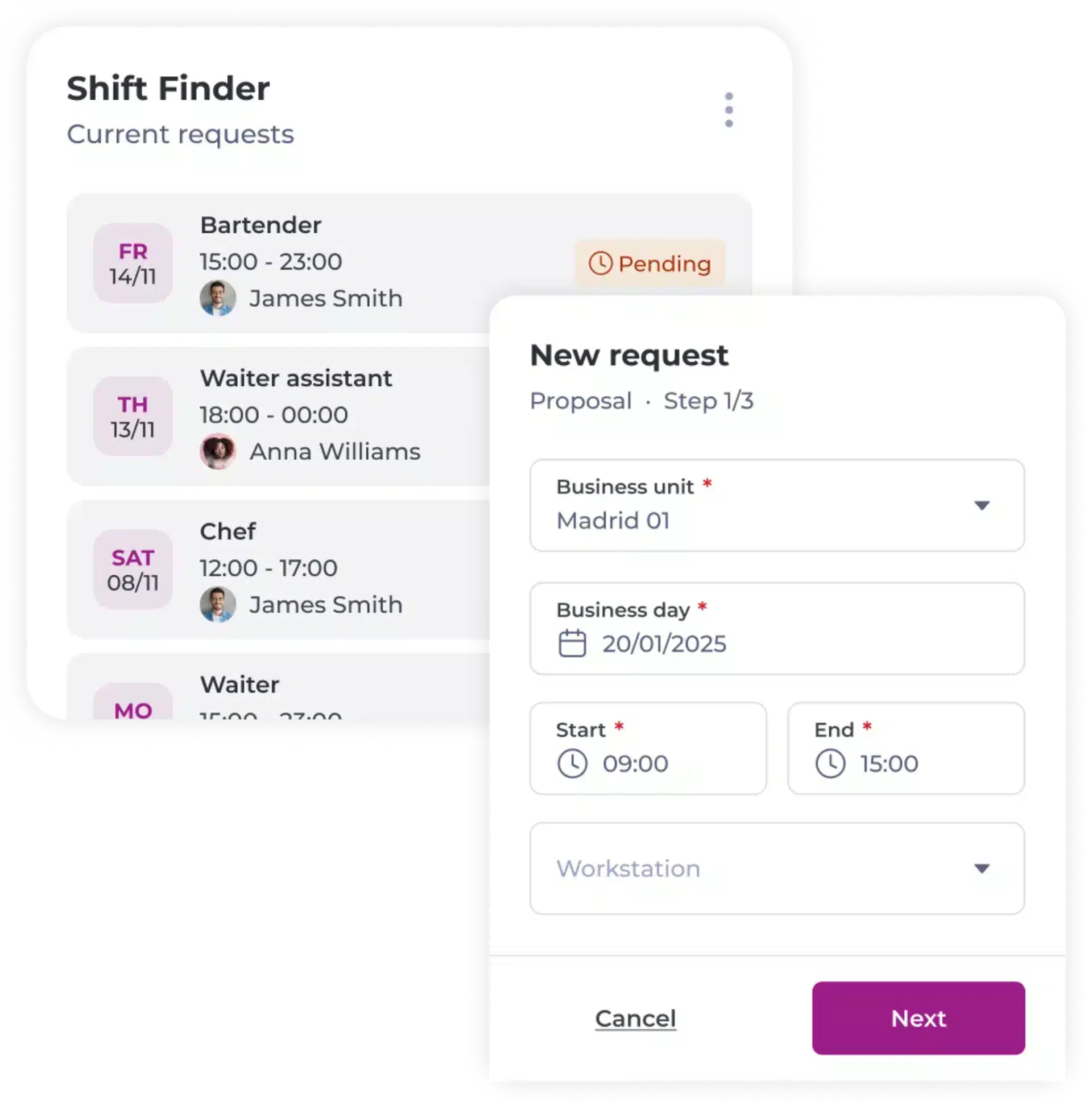
Screenshot of a shift scheduling app showing a Shift Finder panel with job requests and a New request form to schedule a shift, including fields for business unit, business day, and shift timings.
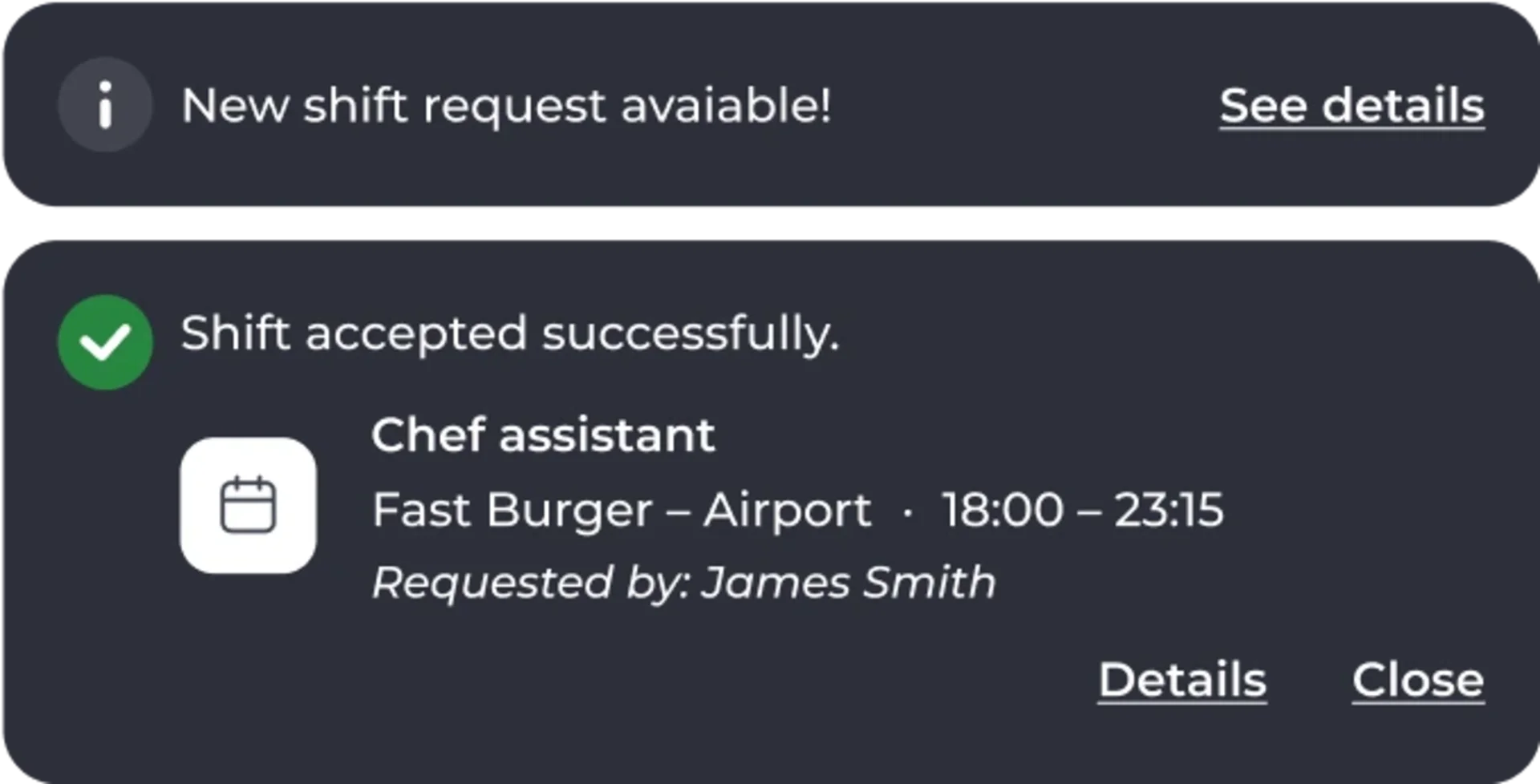
A notification shows a new shift request is available, with an option to see details. Below, another notification confirms a shift as chef assistant at Fast Burger – Airport from 18:00 to 23:15 was accepted.
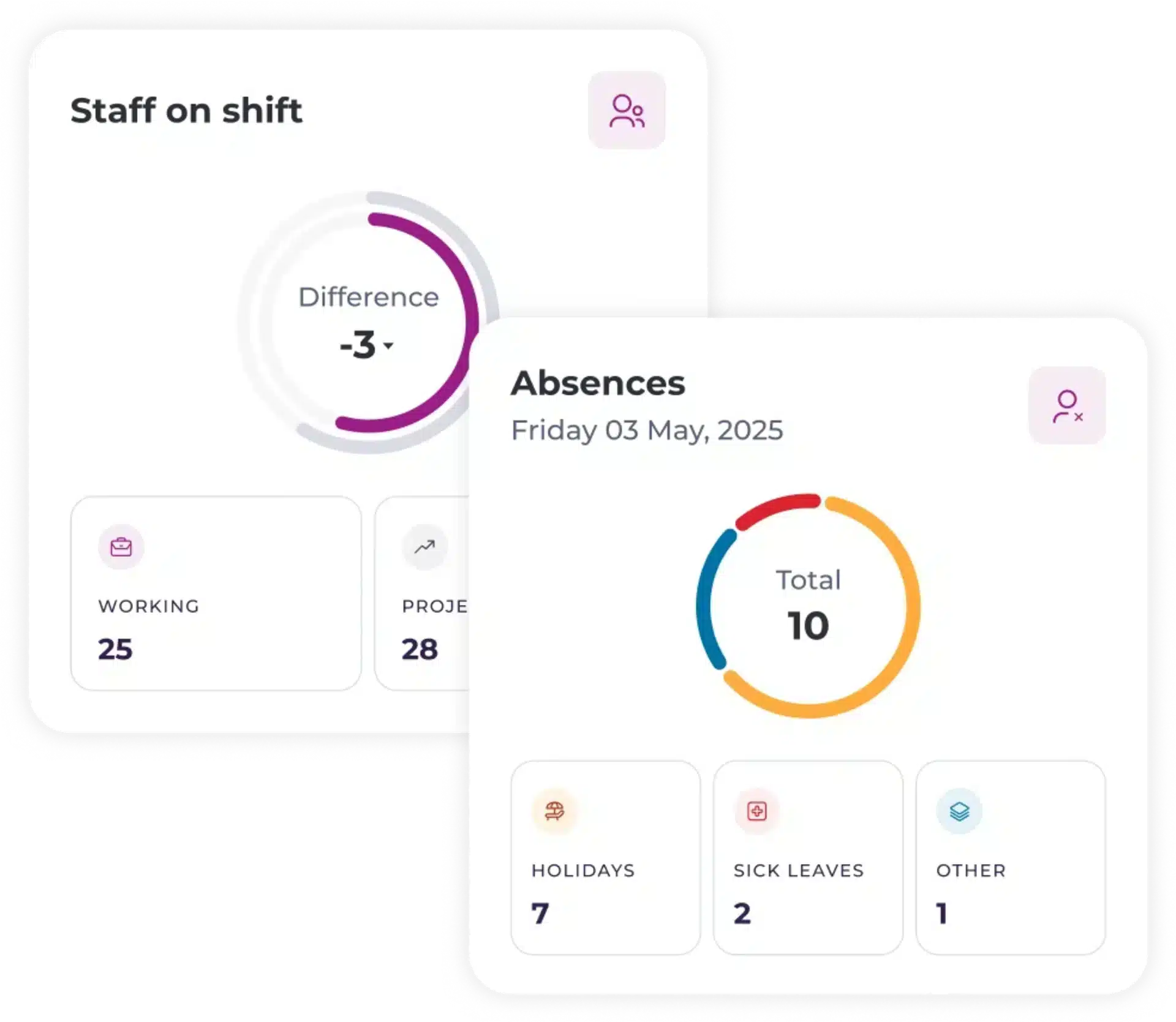
Dashboard showing staff on shift and absences. Staff: working 25, projected 28, difference -3. Absences for 3 May 2025: total 10—7 holidays, 2 sick leaves, 1 other. Circular progress bars displayed.
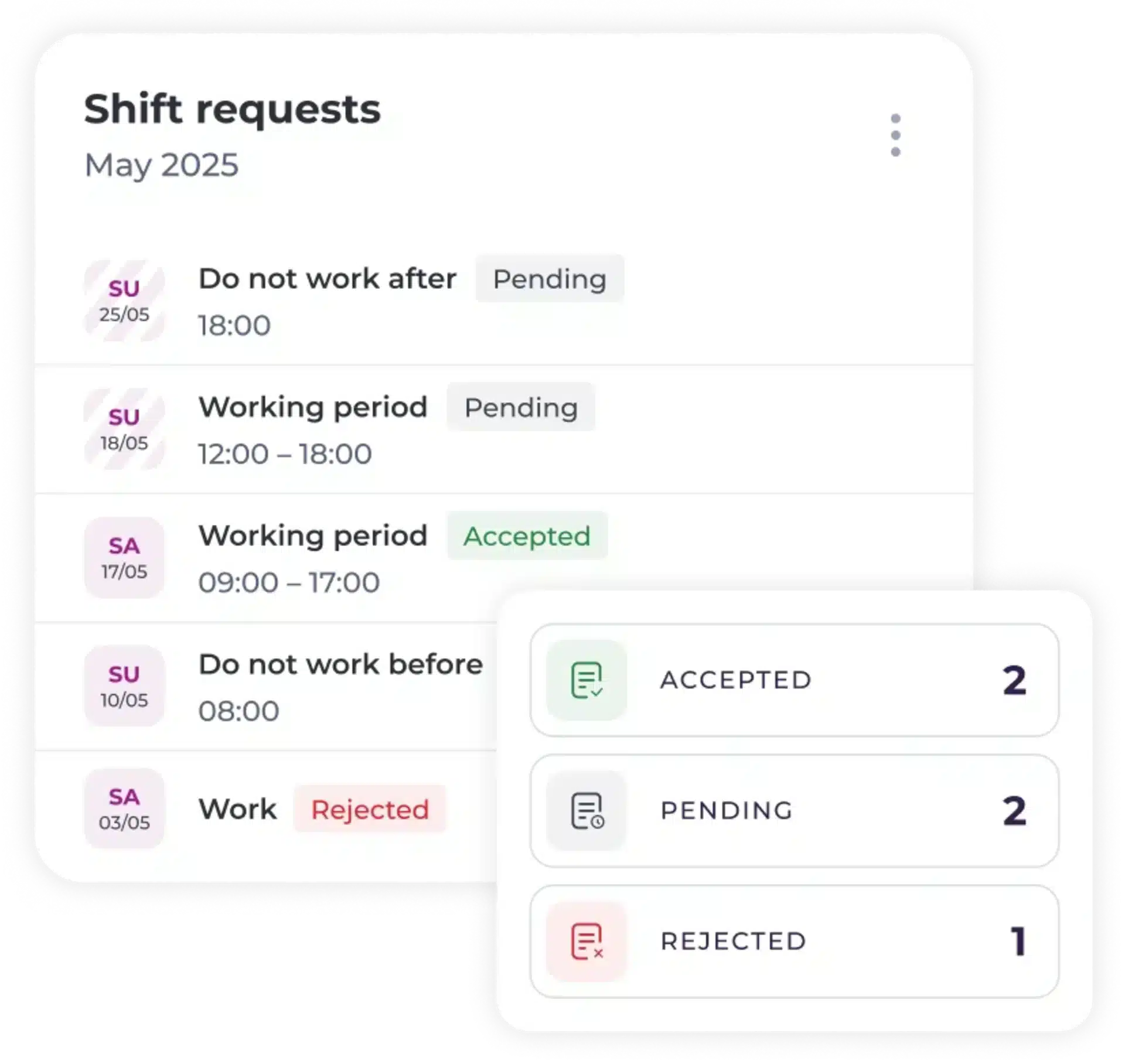
A digital dashboard displays shift requests for May 2025, showing dates, times, and statuses: 2 accepted, 2 pending, and 1 rejected. Statuses are colour-coded: green for accepted, grey for pending, and red for rejected.

See who’s available, fast!

ShiftFinder’s clever algorithms help you identify only who’s available, and with the right skills to cover the shift.

Instant notifications

No more WhatsApps and phone calls! Managers get instant notifications when a shift is accepted or declined.

Schedule overview

Get an overview of rota status and visibility of available, rejected and accepted shifts in a simple dashboard.

Happier team

Resolving understaffing issues with ShifFinder means your team is less stressed, or staff can make a little extra money if they need it.

FAQs

Frequently asked questions

Get answers to questions about our workforce platform, solutions and support.

What is Workforce Scheduling?

The process of creating shift patterns to ensure the right people with the right skills are available when needed.

With intelligent planning and scheduling tools, businesses can optimise labour, improve efficiency, and stay aligned with demand.

Why is Workforce Planning Important?

Balances service quality, employee workload, and labour costs.

Risks of Poor Shift Planning

  • Increased overtime.
  • Potential labour law breaches.
  • Employee dissatisfaction and turnov

Why is Scheduling Critical in Hospitality?

Hospitality demand fluctuates significantly. Effective planning ensures appropriate staffing levels and customer service.