Shift planning
Team management software built for hospitality.

Book a demo

Features

Core capabilities

A digital dashboard powered by hospitality workforce management software displays employee data for Javier Mariscal, including personal details, job info, and work status. Two panels show form fields and profile photos on a white, modern interface.
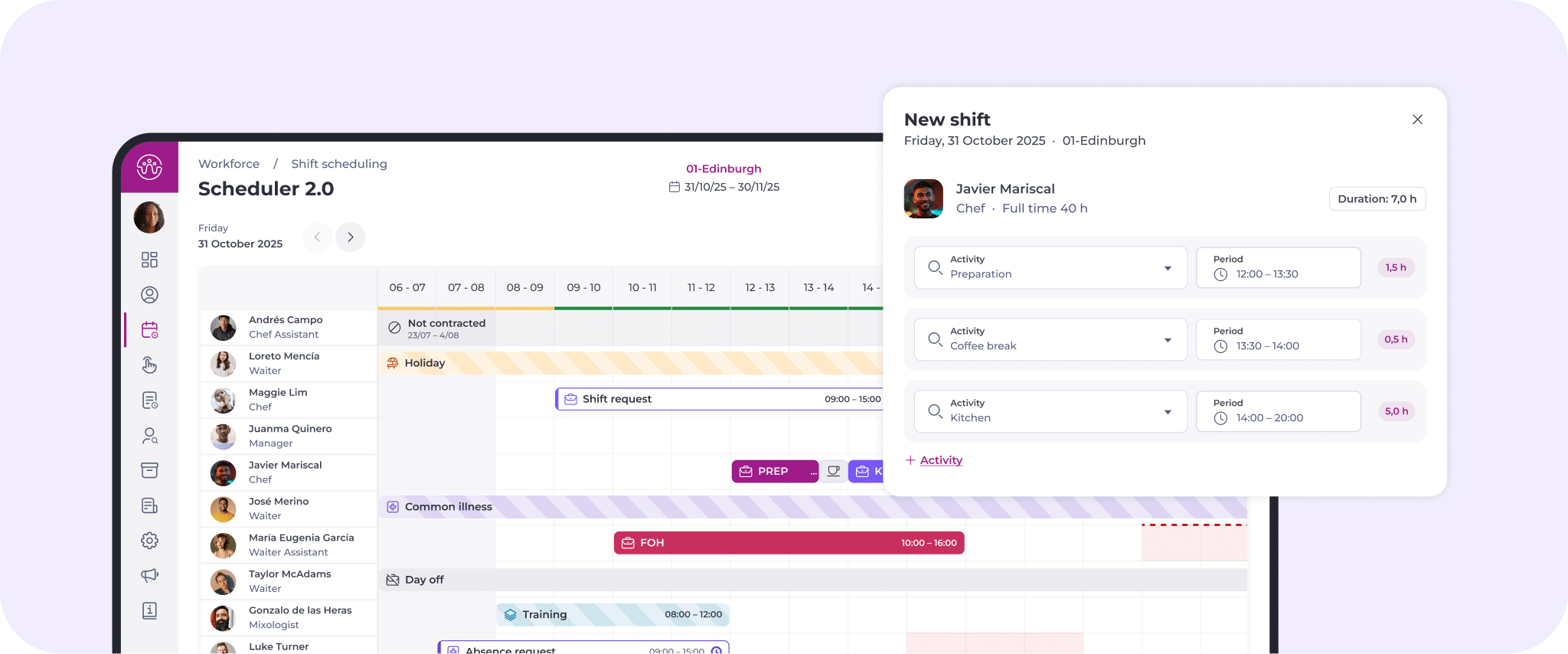
A digital shift scheduling interface within hospitality workforce management software displays a calendar of employees’ shifts, roles, and statuses. A pop-up details a chef's shift, including preparation tasks and a tea break with allocated time slots.
A digital dashboard and mobile app display time and attendance tracking for employees, showing worked hours, locations, and schedules in a calendar and bar chart format—ideal for hospitality workforce management software.

Team management

Manage all employee shift planning data in one place. Keep personal and labour details organised and up to date. Give employees full transparency of their shifts via mobile to help maintain work-life balance.

Scheduling

Generate workforce scheduling plans based on past sales, cost reduction, boosting productivity and avoiding unnecessary overtime.

Time & attendance

Simplify clock in and out for more accurate timekeeping and labour tracking. Improve cost management and compliance without increasing staff effort.

Our strengths

What makes it powerful

Multi-site

Easy, central workforce management reporting and visibility helps you make better decisions across your sites.

Flexible

Teams can input their preferences to suit their studies or caring responsibilities, for a better work-life balance.

Boosted

Boost morale with a team planning solution that helps you avoid being under or overstaffed, meaning less stress and a better working environment for all.

Transparent

An engaging people planner that gives your team visibility over staff scheduling and the ability to manage their holidays and leave.

Capabilities

What we can do

A digital signature interface displays a file named Pay-rise.pdf with a signed box, confirmation of policy acceptance, and a list of employees and external signatories involved in the process.
A dashboard displays employee details in a table on the left and selected employee info on the right, including work centre, category, contract, hire date, and job history, with options to edit or view more details.

Team management

Securely manage documentation and keep track of all employee information and data to keep your teams running smoothly.

Documentation & eSigning

From contracts, to timesheets and any documentation in between complete secure, fast approvals and agreements with digital signatures.

Workforce management

Display all current, past and future employees. Instantly filter by business unit, contract type, skills or other key data. Easily view and update employee information and locate them quickly through advanced filters.

Scheduling

Get the best out of your people and your budget with the right people in the right place, at the right time by generating perfectly optimised schedules.

Shift planning

Easily create, edit and move shifts within the team, or swap between different sites with an easy to use people planner.

Optimisation engine

Powerful algorithms generate perfect workforce scheduling plans based on past sales, reducing costs, boosting productivity and avoiding unnecessary overtime.

Multi-site and labour quotas management

Track labour quotas to make sure you comply with local labour laws and conditions no matter where your sites are located.

Automated variable pay

Automatically calculate variable pay and bonuses across different sites, countries and cities.

A staff rota chart displays shifts, roles, and time slots for kitchen, bar, and front of house, with options to edit, save, or delete a shift. Staff names and roles are listed on the left.
Two overlapping UI panels: one shows shift optimisation options with toggles, including overtime and prioritising qualified employees; the other shows a colour-coded weekly staff rota with roles, times, and work areas.
A table lists business units with associated salaries, social costs, variable costs, and excess amounts. A pop-up titled Labour Quotas shows cost details for Chef category, including salary, social, variable, and excess costs.
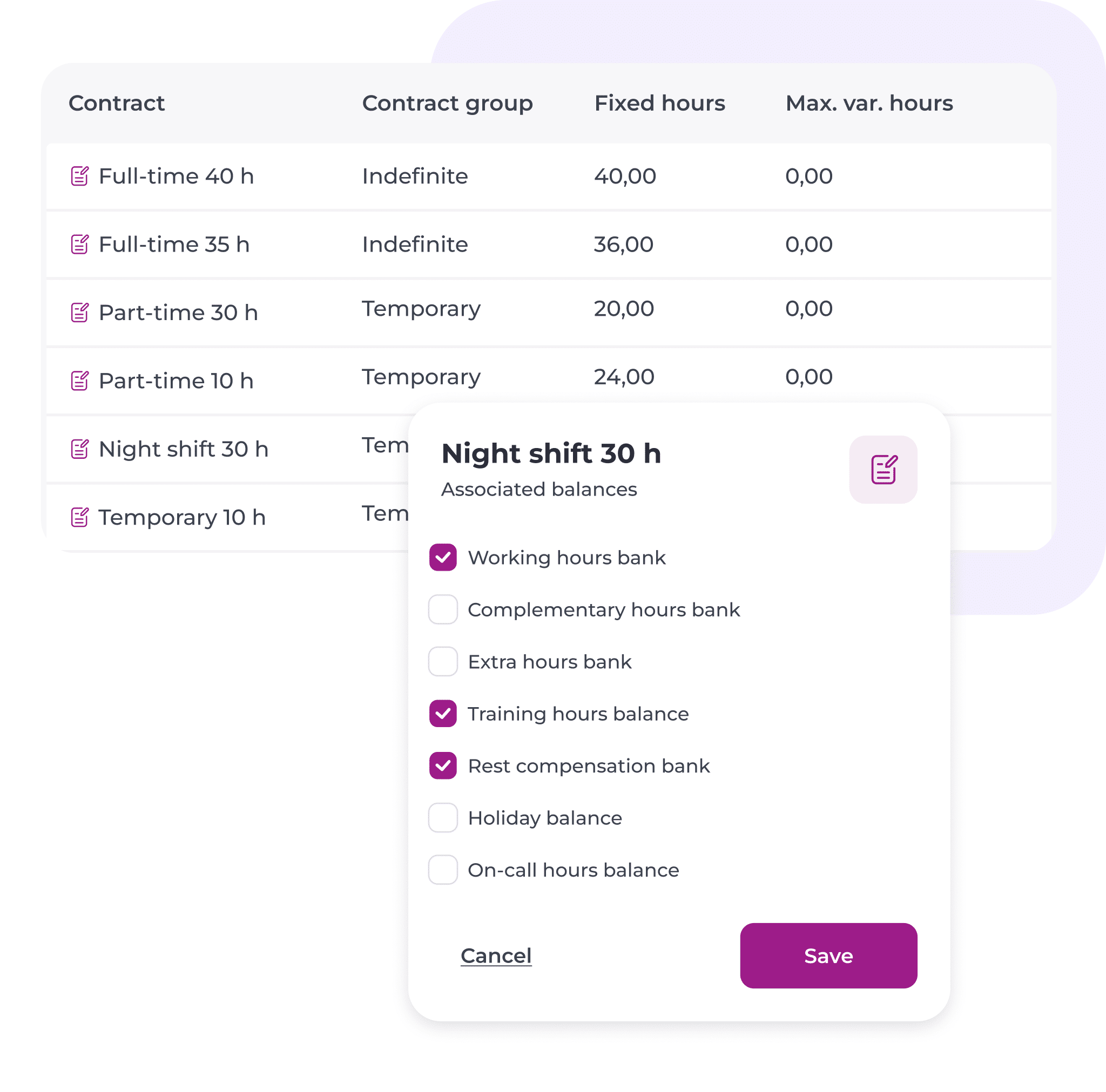
A table lists contract types, groups, and hours. A pop-up for Night shift 30 h shows tickboxes for different hour balances, with Rest compensation bank selected, and Save/Cancel buttons below.
A digital interface shows a pending shift request for 01-Edinburgh on Friday, 31 Oct 2025, 09:00–17:00. Shift mates listed are Maggie Lim, Javier Mariscal, and José Merino. Accept and Reject buttons are visible.
A dashboard displays a list of employees with work centres, absence types, and durations. A detailed card for Javier Mariscal shows his photo, absence types, dates, durations, and approval statuses.
A staff scheduling app shows a weekly timetable with coloured bars for shifts in Bar, Kitchen, or Holiday. Below, a summary lists each team member’s worked hours and shift details for 31 October 2025.
Two white interface cards show a time and attendance app. The first card lets users select a clock-in type (GPS, Remote, QR) and workstation (Bar, Kitchen, Terrace), with QR and Kitchen selected. The second card shows today’s shift timer and a clock-out button.

Time & attendance

Simplify employee time keeping and take control of your labour costs.

ShiftFinder

Offer vacant shifts to employees based on certain criteria so you can handle last-minute changes and variable staffing needs with ease.

Holidays & absences management

Employees can request holidays through the people planner and managers can simply click to accept or reject.

Worked time

Keep track of hours worked and rest periods so the data is on hand when the inspector calls

Time clock

Configure clock-in codes and assign business units, enabling flexible and precise time management across sites.

Our strengths

Made to work hand in hand

Compliance

Stay up-to-date and compliant so you’re ready for any audit. Manage deviations and cut the risk of compliance tasks falling through the cracks and spot issues before they become emergencies.

Mapal OS solutions

A perfect match

WORKFORCE

Essentials

Manage your people with an easy to use employee app and software that scales with your business.

• User portals for employees and management

• Employee database and contract management

• Staff time clock mobile app

• Sick, lateness, overtime, leave and absence management

• And more

WORKFORCE

Advanced

A comprehensive solution to optimise your schedules and stay compliant with labour laws.

Everything in essentials +

• Sales forecast management

• Team scheduling

• Legal restrictions & compliance management

• Access to ShiftFinder

• And more

Our platform

Discover
Mapal OS

Mapal OS powers hospitality with industry-specific intelligence. Automation streamlines your operations and AI helps you run smarter – at any scale.

  • One stop shop for all your admin and setup
  • Shared data for deeper intelligence
  • AI where and when you need it
  • Mobile, tablet and desktop compatibility
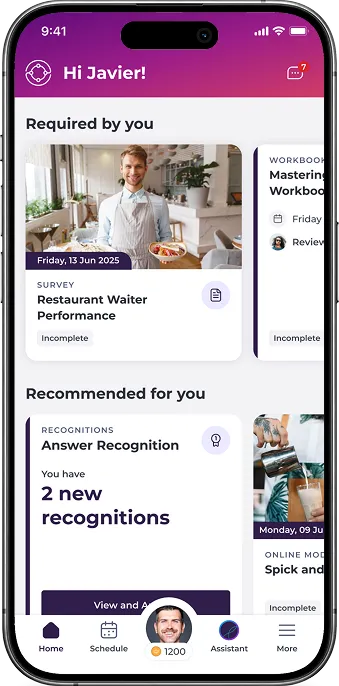
Our employee app, Mapal One, has everything your teams need to succeed. From making training easier to complete on the go to boosting communication to accepting extra shifts or requesting time off – they have it all, right in the palm of their hand. 

One-stop-shop for managers, including a lite version of everything they need to perform their daily tasks.

Learn more